Overview
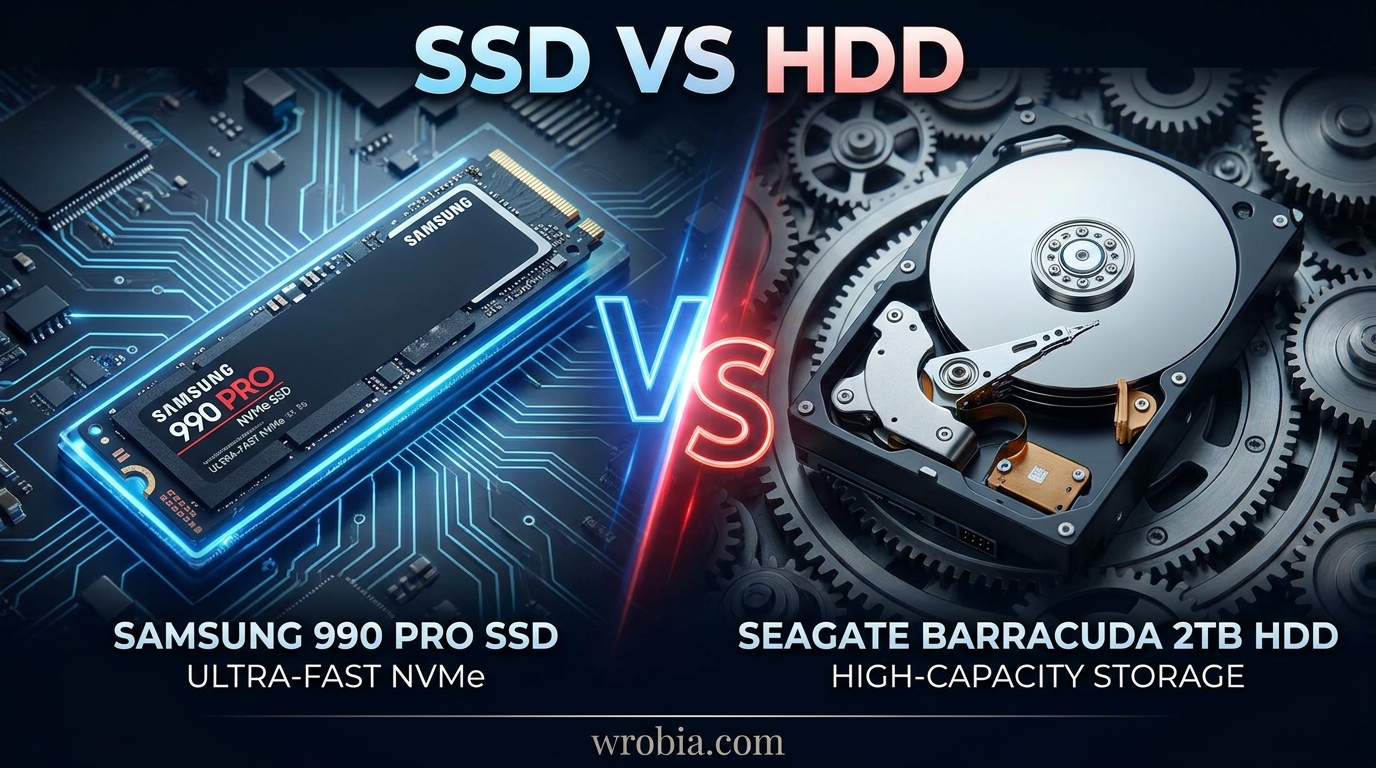
Comparing the Samsung 990 Pro to the Seagate BarraCuda 2TB is really a comparison between two different eras of storage technology. The 990 Pro is a flagship PCIe Gen4 NVMe SSD built for speed, while the BarraCuda is a traditional 3.5-inch spinning hard drive built for affordable bulk capacity. They aren’t direct competitors in the traditional sense, but plenty of buyers cross-shop them when deciding how to allocate a 2TB storage budget between a system drive and a secondary storage drive. This article breaks down exactly where each one wins.
Key Specifications
| Spec | Samsung 990 Pro 2TB | Seagate BarraCuda 2TB |
|---|---|---|
| Type | NVMe SSD (M.2 2280) | 3.5″ SATA HDD |
| Interface | PCIe Gen4 x4 | SATA III 6Gb/s |
| Sequential Read | Up to 7,450 MB/s | Up to 220 MB/s |
| Sequential Write | Up to 6,900 MB/s | Up to 220 MB/s |
| Cache | 2GB LPDDR4 DRAM | 256MB |
| Spindle Speed | N/A (no moving parts) | 7,200 RPM |
| Endurance | 1,200 TBW | Workload rated 55TB/year |
| Form Factor | M.2 2280 | 3.5-inch |
| Warranty | 5 years | 1–2 years |
Design and Build Quality
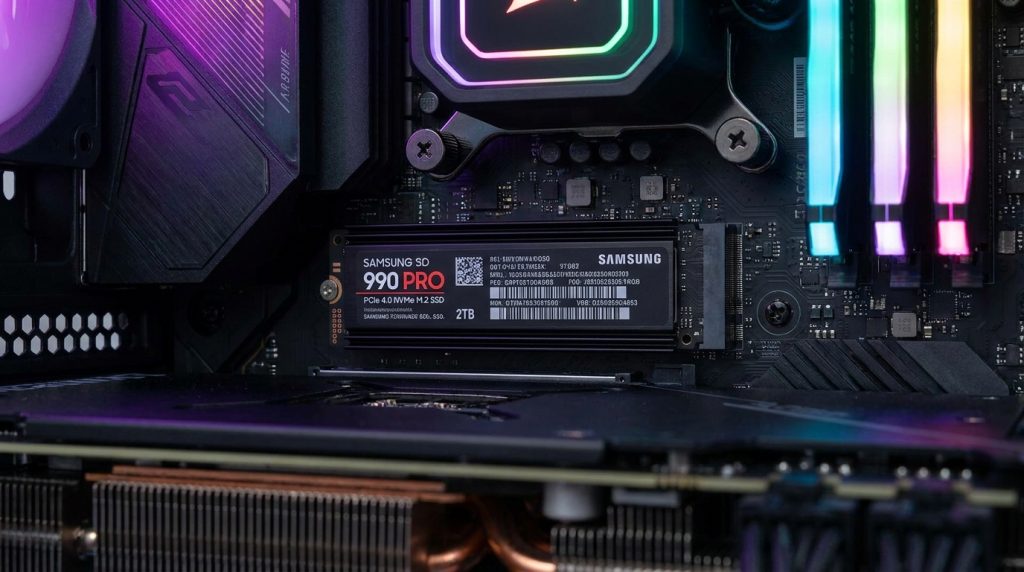
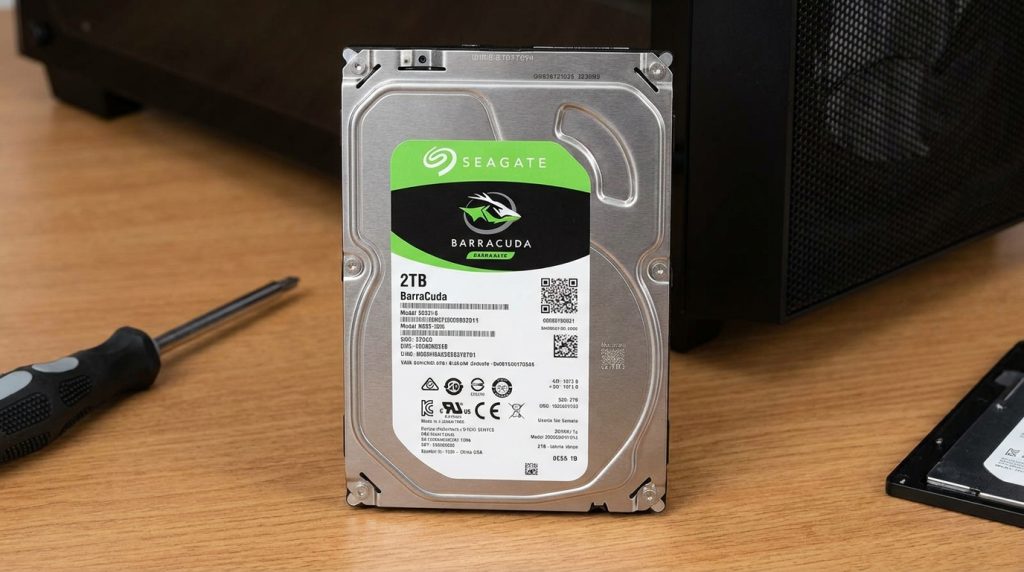
The 990 Pro is a tiny M.2 stick about the size of a stick of gum, with an optional heatsink (some versions add RGB lighting). It mounts directly onto your motherboard with no cables. The BarraCuda is a full-size 3.5-inch drive with moving internal platters, requiring a SATA data cable, a power cable, and a drive bay to mount in. The SSD’s compact design makes it ideal for small form factor builds and laptops, while the HDD needs a desktop case with room to spare.
Storage Technology (SSD vs HDD)
This is the heart of the comparison. The 990 Pro uses NAND flash memory with no moving parts, meaning data is accessed almost instantly and the drive is immune to mechanical failure from drops or vibration. The BarraCuda relies on spinning magnetic platters and a read/write head, the same fundamental design hard drives have used for decades. That mechanical design is what makes HDDs cheaper per gigabyte, but it’s also what makes them slower and more fragile.
Performance Comparison
Read and Write Speed
There’s no contest here. The Samsung 990 Pro promises up to 7,450 MB/s sequential read and 6,900 MB/s sequential write speeds, with up to 1.4 million and 1.55 million read/write IOPS respectively. The BarraCuda, by contrast, tops out around 220 MB/s sustained transfer speed since it’s bottlenecked by both the SATA interface and the physical limits of spinning media. That puts the 990 Pro roughly 30 times faster in raw sequential throughput, and the gap widens dramatically for random read/write operations, where HDDs struggle the most.
Gaming Performance
Game load times benefit enormously from the 990 Pro’s near-instant random access. Open-world games, texture streaming, and level loads all complete in a fraction of the time compared to a BarraCuda. The BarraCuda can still run games fine once installed, but expect noticeably longer loading screens and occasional stutter during texture streaming in demanding titles.
File Transfer Performance
Copying large files (video footage, ISO images, game installs) is dramatically faster on the 990 Pro, often finishing in seconds what takes the BarraCuda several minutes. For everyday tasks like copying a folder of documents, the difference is less noticeable, but for bulk media work the SSD’s advantage is substantial.
Boot Time Comparison
A system booting from the 990 Pro typically reaches the desktop in well under 10 seconds. A BarraCuda-based boot drive, while serviceable, usually takes 20–40 seconds depending on the installed OS and startup programs, since the drive has to physically spin up and seek data across the platter.
Reliability and Durability
The 990 Pro carries an endurance rating of 1,200 TBW (terabytes written), which should be sufficient for most users, and Samsung backs it with a 5-year warranty. Because it has no moving parts, it’s also more resistant to physical shock. The BarraCuda is rated for a more modest annual workload and typically carries a 1–2 year warranty, reflecting its budget positioning. As a mechanical drive, it’s more vulnerable to damage from drops, vibration, or being moved while powered on.
Power Consumption
The BarraCuda draws more power, particularly during active read/write operations. It uses around 5.1 watts when reading or writing and 3.9 watts when idle. The 990 Pro is far more power-efficient in comparison, especially at idle, which matters for laptops or always-on systems, though it can draw more power briefly during heavy sustained workloads.
Noise and Heat Levels
The 990 Pro is completely silent since it has no moving parts, though it can run warm under sustained heavy use (which is why heatsink versions exist). The BarraCuda produces audible spinning and seek noise, especially noticeable in quiet rooms or compact cases, and it runs warmer at idle simply due to the spinning platters.
Capacity Options
Both drives are available well beyond the 2TB capacity discussed here. The 990 Pro line spans 1TB to 4TB, while the BarraCuda family scales up dramatically further, with desktop models available up to 24TB, making it the far better choice when you need massive amounts of storage on a budget.
Compatibility
The 990 Pro requires a free M.2 NVMe slot with PCIe Gen4 support to hit its rated speeds (it will work in Gen3 slots too, just at reduced speed). The BarraCuda needs a SATA port and power connector, which virtually every desktop motherboard and case supports, making it more universally compatible with older systems.
Best Use Cases
The 990 Pro is the right choice for a primary OS/boot drive, gaming library, video editing scratch disk, or any workload where speed directly affects your experience. The BarraCuda is best suited for bulk file storage, media libraries, backups, or as a secondary drive in a desktop where cost-per-gigabyte matters more than speed.
Pros and Cons
Samsung 990 Pro 2TB
- Pros: Exceptional speed, silent operation, compact, energy efficient, strong warranty
- Cons: Higher price per gigabyte, can run hot under sustained load, requires compatible M.2 slot
Seagate BarraCuda 2TB
- Pros: Low cost per gigabyte, widely compatible, available in huge capacities
- Cons: Much slower, audible noise, more vulnerable to physical damage, shorter warranty
Price and Value for Money
The 990 Pro 2TB has a $639 list price but has been seen selling as low as $389 during sales, with a more typical street price in the $420–480 range. The BarraCuda 2TB, on the other hand, generally sells in the $50–$70 range, making it dramatically cheaper per gigabyte. If raw capacity-per-dollar is your priority, the BarraCuda wins easily; if performance-per-dollar matters more, the 990 Pro justifies its premium.
Which One Should You Buy?
Choose the Samsung 990 Pro if you want a fast, reliable boot drive or need speed for gaming, video editing, or general system responsiveness. Choose the Seagate BarraCuda if you need affordable bulk storage for files, backups, or media that don’t require fast access speeds. Many builders actually use both: a smaller SSD like the 990 Pro for the OS and active programs, paired with a BarraCuda for cheap mass storage.
Frequently Asked Questions (FAQs)
Is the Samsung 990 Pro worth the higher price over the BarraCuda? If you value speed and responsiveness, yes. The performance difference is dramatic enough to be felt in everyday use, not just benchmarks.
Can I use the BarraCuda as my main boot drive? You can, but boot and load times will be noticeably slower than an SSD. It’s generally better suited as secondary storage.
Does the 990 Pro work in older PCs? It needs an M.2 NVMe slot to function at all; it will work in PCIe Gen3 slots but at reduced speeds rather than its full Gen4 potential.
Which drive lasts longer? SSDs like the 990 Pro generally have better resistance to physical shock, while HDDs like the BarraCuda are mechanically more prone to wear over years of heavy use, though both are reasonably durable under normal conditions.
Can I combine both drives in one PC? Yes, this is a common and practical setup: SSD for the operating system and frequently used programs, HDD for bulk storage.
Final Verdict
The Samsung 990 Pro and Seagate BarraCuda 2TB aren’t really fighting for the same job. The 990 Pro is built for speed and responsiveness and earns its premium price through performance that the BarraCuda simply cannot match. The BarraCuda earns its place through affordability and capacity, making it the practical choice for bulk storage needs. For most modern builds, the smartest approach isn’t choosing one over the other, but pairing an SSD like the 990 Pro for your operating system with a BarraCuda for everything else that needs cheap, plentiful storage.