Introduction
Acer’s lineup covers everything from budget laptops to compact business desktops, and two names that come up often are the Veriton X and the Aspire 5. At first glance this might seem like an odd matchup — one is a desktop tower built for offices, the other is a slim laptop built for students, home users, and everyday productivity. But plenty of buyers genuinely find themselves torn between the two, especially when setting up a home office, a small business workstation, or a first computer for a student who might need either a desk-bound machine or something portable. This guide breaks down how they compare so you can decide which form factor actually fits your life.
Overview of Acer Veriton X
The Veriton X sits within Acer’s broader Veriton family of commercial desktops, which is aimed at businesses, schools, and IT departments rather than casual home shoppers. These machines emphasize reliability, manageability, and expandability over flashy design. Depending on the generation and configuration, Veriton desktops are built around Intel Core (including newer Core Ultra) processors, support serious amounts of RAM and storage, and include business-grade features like TPM security chips, Intel vPro remote management, and Kensington lock slots. The Veriton X and related mini/tower models are designed to sit under a desk or mount behind a monitor, prioritizing quiet, dependable performance for years of office use.
Overview of Acer Aspire 5
The Aspire 5 is Acer’s long-running budget-to-midrange laptop series, and it’s one of the best-selling Windows laptops on the market. It’s built for students, remote workers, and everyday users who want a full Windows experience without a premium price tag. Recent Aspire 5 models pack 13th Gen Intel Core processors (with newer generations rolling out over time), optional NVIDIA GeForce RTX graphics, a 15.6-inch Full HD IPS display, and a reasonably light aluminum-topped chassis. It’s less about raw power and more about hitting a sweet spot between price, portability, and day-to-day usability.
Key Specifications Comparison
| Feature | Acer Veriton X (desktop) | Acer Aspire 5 (laptop) |
|---|---|---|
| Form factor | Tower/mini desktop | 15.6″ laptop |
| Processor | Intel Core / Core Ultra (business-grade) | Intel Core (13th Gen and newer) |
| RAM | Up to 64GB DDR4/DDR5 | Typically 8–32GB LPDDR5 |
| Storage | Up to 1–2TB M.2 PCIe SSD, expandable | 256GB–1TB M.2 SSD |
| Graphics | Integrated, optional discrete GPU add-in | Integrated Iris Xe or optional NVIDIA RTX |
| Display | None included (BYO monitor) | Built-in 15.6″ FHD IPS |
| Battery | None (mains powered) | Several hours of battery life |
| Portability | Stationary | Fully portable |
| Target user | Business/office/IT | Students, home users, remote workers |
Design and Build Quality
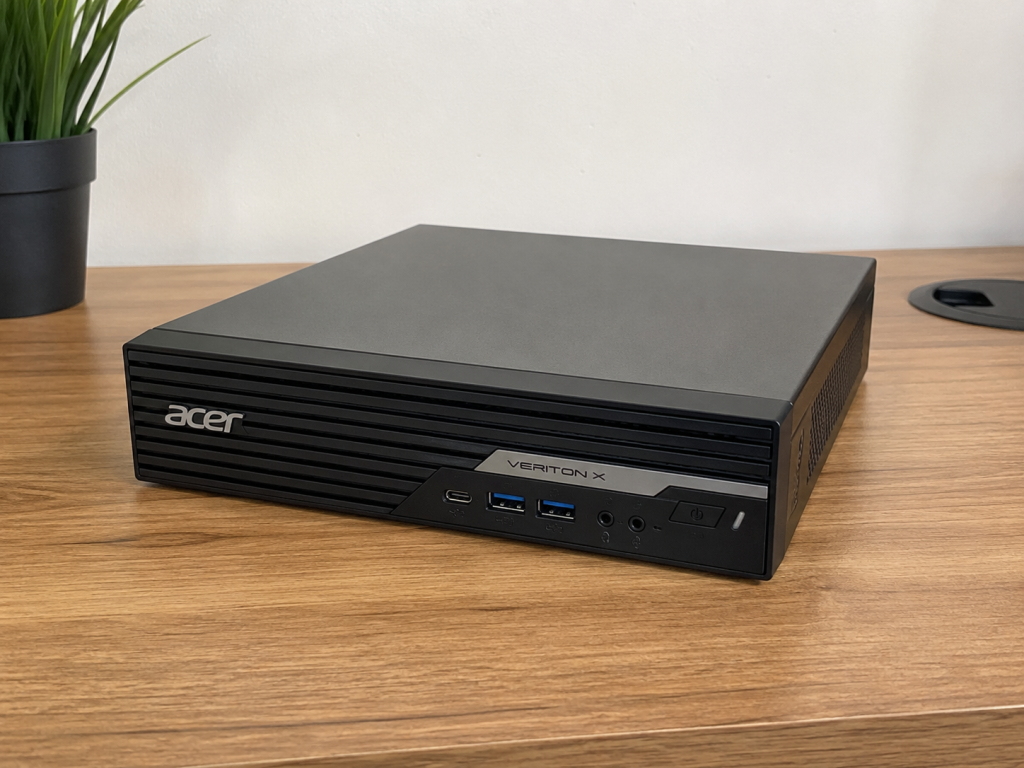
The Veriton X favors function over form. It’s a boxy, ventilated chassis meant to disappear under a desk or behind a monitor, often with a metal or reinforced plastic shell designed for durability in office environments rather than aesthetics. Some newer Veriton mini models even use recycled plastic chassis material as part of Acer’s sustainability push.
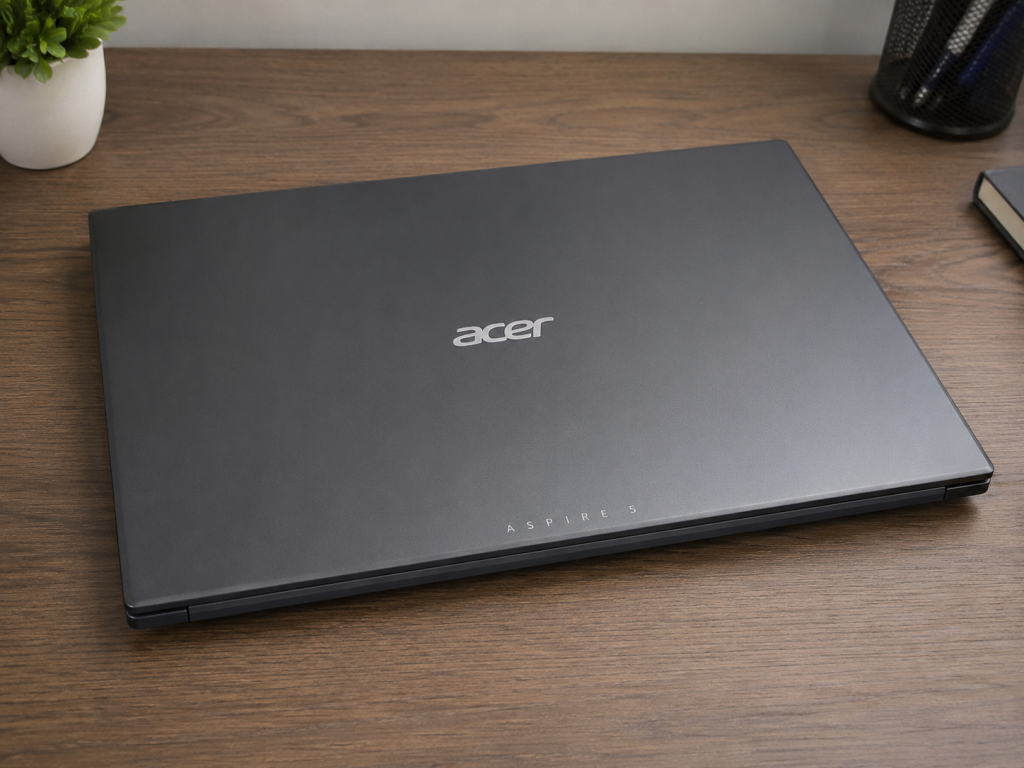
The Aspire 5, by contrast, is built to be seen and carried. It typically features an aluminum top cover available in multiple colors, a slim profile, and a keyboard deck designed for comfortable typing on the move. It won’t win a design award against premium ultrabooks, but for its price bracket it looks clean and professional.
Display Comparison
This is one of the starkest differences between the two. The Veriton X is a headless desktop — it doesn’t include a screen at all, so your visual experience depends entirely on the monitor you pair with it. That’s actually an advantage for many buyers, since you can choose a large, high-resolution, or multi-monitor setup tailored to your needs.
The Aspire 5 includes a built-in 15.6-inch Full HD (1920×1080) IPS display. IPS panels offer good color accuracy and wide viewing angles, making it perfectly serviceable for schoolwork, web browsing, streaming, and general productivity, though it won’t match a dedicated external monitor in size or resolution options.
Performance and Processor
Veriton X desktops are generally configured with more headroom in mind, especially in higher-end SKUs that support Intel Core Ultra 9 processors and Intel vPro for centralized IT management. Desktop-class cooling also means these chips can sustain higher performance for longer without thermal throttling.
Aspire 5 laptops use mobile-optimized Intel Core processors, which are efficient and capable for everyday multitasking, but they’re tuned for battery life and thin chassis thermals rather than sustained peak performance. For office productivity, web use, and media consumption, the difference is rarely noticeable; for heavier sustained workloads, the desktop pulls ahead.
RAM and Storage Options
The Veriton X line typically offers greater ceilings, with configurations supporting up to 64GB of dual-channel DDR4 or DDR5 memory and up to 1–2TB of PCIe SSD storage, with some models offering multiple drive bays or M.2 slots for expansion.
The Aspire 5 is more modest, usually shipping with 8GB to 32GB of RAM (often soldered LPDDR5 in newer models, limiting later upgrades) and 256GB to 1TB of SSD storage. It covers everyday needs comfortably but isn’t designed for heavy multitasking at the scale a desktop can handle.
Graphics Performance
Most Veriton X configurations rely on integrated graphics suited to office work, though certain models support add-in discrete GPUs for tasks like light content creation or multi-display setups.
The Aspire 5 has an edge for casual gaming or creative work in some configurations, as several SKUs offer an optional NVIDIA GeForce RTX discrete GPU alongside integrated Intel graphics — useful for light gaming, photo editing, or video work on the go, though it won’t rival a true gaming laptop or desktop GPU.
Battery Life
This category doesn’t apply to the Veriton X, since it’s a plug-in desktop with no battery at all.
The Aspire 5 is designed for portability and typically delivers a solid workday’s worth of battery life for web browsing and office tasks, though actual runtime varies by configuration, screen brightness, and workload — demanding tasks will drain it faster.
Connectivity and Ports
Veriton X desktops generally offer a generous port selection thanks to their larger chassis: multiple USB-A and USB-C ports, Ethernet, display outputs, and sometimes legacy ports for business peripherals, along with Wi-Fi and Bluetooth for wireless connectivity.
The Aspire 5 fits a respectable port array into a slim frame — usually a mix of USB-A, USB-C (sometimes Thunderbolt 4 on Intel models), HDMI, a headphone jack, and Wi-Fi 6/6E — though space constraints mean you get fewer ports overall than a desktop.
Operating System
Both lines ship with Windows 11, so software compatibility and the overall user experience are effectively identical on that front. The Veriton line often includes additional business-oriented management software (like Acer Office Manager or ProShield) aimed at IT administrators, which isn’t something you’ll typically find bundled with the consumer-focused Aspire 5.
Upgrade and Expandability
This is a clear win for the Veriton X. Its tower or mini-desktop chassis is built to be opened up, with accessible RAM slots, extra drive bays, and in many models, PCIe slots for adding a discrete graphics card or other expansion hardware down the line.
The Aspire 5 offers much more limited upgrade potential. Many recent models use soldered memory, and while some configurations still allow SSD upgrades, you’re largely locked into the specs you buy it with.
Who Should Buy Acer Veriton X?
The Veriton X makes sense if you:
- Need a dedicated desk-based workstation for an office, school lab, or home office setup
- Want the flexibility to pair your own monitor(s), keyboard, and mouse
- Plan to run demanding or long-duration workloads that benefit from desktop-class cooling
- Care about IT manageability, security features, or future hardware upgrades
- Don’t need portability
Who Should Buy Acer Aspire 5?
The Aspire 5 is the better fit if you:
- Need a computer you can carry between home, school, or a coffee shop
- Want an all-in-one solution with a built-in screen, keyboard, and battery
- Are working with a tighter budget and want strong value for everyday tasks
- Occasionally want light gaming or creative work via an optional discrete GPU
- Don’t need extensive future upgradability
Pros and Cons
Acer Veriton X
Pros:
- Stronger sustained performance and cooling
- Greater RAM/storage ceilings
- Highly upgradable and expandable
- Business-grade security and management tools
- Pair with any monitor(s) you like
Cons:
- No display, keyboard, mouse, or battery included in many configurations
- Not portable at all
- Less relevant for typical home/consumer shoppers
Acer Aspire 5
Pros:
- Fully portable, all-in-one package
- Strong value for everyday computing
- Optional discrete GPU for light gaming/creative work
- Built-in display, battery, webcam, and keyboard
Cons:
- Limited upgrade potential (often soldered RAM)
- Less sustained performance than a desktop
- Smaller port selection due to slim chassis
- Not designed for heavy, prolonged workloads
Price Comparison
Pricing varies significantly by configuration and region, and Acer regularly updates both lineups, so it’s worth checking current listings before buying. As a general pattern, entry-level Aspire 5 laptops tend to start at a lower price point than a comparably specced Veriton X desktop, especially once you factor in that the Veriton typically doesn’t include a monitor, keyboard, or mouse — costs you’ll need to add on top if you don’t already own them. Higher-end Veriton configurations with more RAM, storage, and vPro management climb well past entry-level Aspire 5 pricing.
Which One Offers Better Value for Money?
If you already own a monitor, keyboard, and mouse, the Veriton X can be excellent value for the performance and longevity it offers, particularly because of its upgrade path — you can add RAM or storage down the line rather than replacing the whole machine. If you’re starting from scratch and need a complete, ready-to-use setup, the Aspire 5 delivers more immediate value since everything you need is built in, and its price already accounts for the display and battery you’d otherwise have to buy separately for the Veriton.
In short: value depends heavily on what you already have and how you plan to use the machine, not just the sticker price.
Frequently Asked Questions (FAQs)
Can the Acer Veriton X be used for gaming? It can handle light or older games depending on configuration, especially with an add-in discrete GPU, but it’s designed as a business/productivity desktop, not a gaming rig.
Is the Acer Aspire 5 good for programming or office work? Yes — it comfortably handles coding, office suites, web browsing, and multitasking for most everyday professional and student use cases.
Do I need to buy a monitor separately for the Veriton X? In most configurations, yes. Veriton desktops are typically sold as headless systems, so you’ll need your own monitor (and often keyboard/mouse).
Which one lasts longer before needing an upgrade? The Veriton X generally has a longer useful life thanks to its expandable RAM, storage, and in some cases PCIe slots for future hardware.
Is the Aspire 5 upgradable at all? Some models allow SSD storage upgrades, but many current models use soldered RAM, so check the specific SKU’s specifications before assuming you can expand it later.
Final Verdict
The Veriton X and Aspire 5 aren’t really competing for the same buyer — they’re built for different lifestyles. Choose the Veriton X if you want a dependable, upgradable desktop for a fixed workspace, especially in a business, school, or home-office setting where you already have (or want to choose your own) monitor and peripherals. Choose the Aspire 5 if you need a portable, all-in-one laptop that covers everyday computing, schoolwork, and light entertainment without breaking the bank.