Author: admin

  • Samsung 990 Pro vs Seagate BarraCuda 2TB – Complete Comparison Guide (2026)

    Samsung 990 Pro vs Seagate BarraCuda 2TB – Complete Comparison Guide (2026)

    Overview

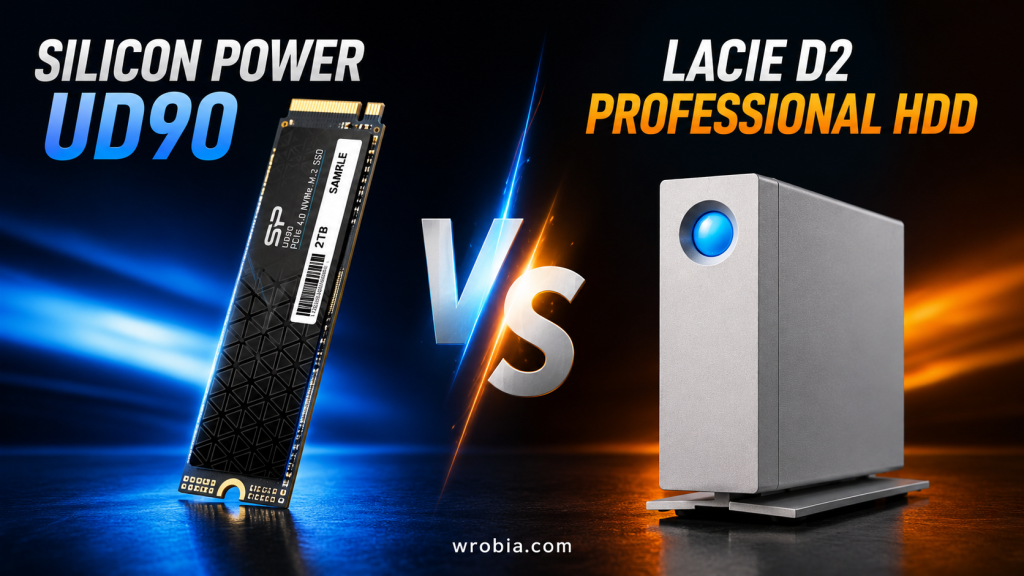
    Comparing the Samsung 990 Pro to the Seagate BarraCuda 2TB is really a comparison between two different eras of storage technology. The 990 Pro is a flagship PCIe Gen4 NVMe SSD built for speed, while the BarraCuda is a traditional 3.5-inch spinning hard drive built for affordable bulk capacity. They aren’t direct competitors in the traditional sense, but plenty of buyers cross-shop them when deciding how to allocate a 2TB storage budget between a system drive and a secondary storage drive. This article breaks down exactly where each one wins.

    Key Specifications

    SpecSamsung 990 Pro 2TBSeagate BarraCuda 2TB
    TypeNVMe SSD (M.2 2280)3.5″ SATA HDD
    InterfacePCIe Gen4 x4SATA III 6Gb/s
    Sequential ReadUp to 7,450 MB/sUp to 220 MB/s
    Sequential WriteUp to 6,900 MB/sUp to 220 MB/s
    Cache2GB LPDDR4 DRAM256MB
    Spindle SpeedN/A (no moving parts)7,200 RPM
    Endurance1,200 TBWWorkload rated 55TB/year
    Form FactorM.2 22803.5-inch
    Warranty5 years1–2 years

    Design and Build Quality

    The 990 Pro is a tiny M.2 stick about the size of a stick of gum, with an optional heatsink (some versions add RGB lighting). It mounts directly onto your motherboard with no cables. The BarraCuda is a full-size 3.5-inch drive with moving internal platters, requiring a SATA data cable, a power cable, and a drive bay to mount in. The SSD’s compact design makes it ideal for small form factor builds and laptops, while the HDD needs a desktop case with room to spare.

    Storage Technology (SSD vs HDD)

    This is the heart of the comparison. The 990 Pro uses NAND flash memory with no moving parts, meaning data is accessed almost instantly and the drive is immune to mechanical failure from drops or vibration. The BarraCuda relies on spinning magnetic platters and a read/write head, the same fundamental design hard drives have used for decades. That mechanical design is what makes HDDs cheaper per gigabyte, but it’s also what makes them slower and more fragile.

    Performance Comparison

    Read and Write Speed

    There’s no contest here. The Samsung 990 Pro promises up to 7,450 MB/s sequential read and 6,900 MB/s sequential write speeds, with up to 1.4 million and 1.55 million read/write IOPS respectively. The BarraCuda, by contrast, tops out around 220 MB/s sustained transfer speed since it’s bottlenecked by both the SATA interface and the physical limits of spinning media. That puts the 990 Pro roughly 30 times faster in raw sequential throughput, and the gap widens dramatically for random read/write operations, where HDDs struggle the most.

    Gaming Performance

    Game load times benefit enormously from the 990 Pro’s near-instant random access. Open-world games, texture streaming, and level loads all complete in a fraction of the time compared to a BarraCuda. The BarraCuda can still run games fine once installed, but expect noticeably longer loading screens and occasional stutter during texture streaming in demanding titles.

    File Transfer Performance

    Copying large files (video footage, ISO images, game installs) is dramatically faster on the 990 Pro, often finishing in seconds what takes the BarraCuda several minutes. For everyday tasks like copying a folder of documents, the difference is less noticeable, but for bulk media work the SSD’s advantage is substantial.

    Boot Time Comparison

    A system booting from the 990 Pro typically reaches the desktop in well under 10 seconds. A BarraCuda-based boot drive, while serviceable, usually takes 20–40 seconds depending on the installed OS and startup programs, since the drive has to physically spin up and seek data across the platter.

    Reliability and Durability

    The 990 Pro carries an endurance rating of 1,200 TBW (terabytes written), which should be sufficient for most users, and Samsung backs it with a 5-year warranty. Because it has no moving parts, it’s also more resistant to physical shock. The BarraCuda is rated for a more modest annual workload and typically carries a 1–2 year warranty, reflecting its budget positioning. As a mechanical drive, it’s more vulnerable to damage from drops, vibration, or being moved while powered on.

    Power Consumption

    The BarraCuda draws more power, particularly during active read/write operations. It uses around 5.1 watts when reading or writing and 3.9 watts when idle. The 990 Pro is far more power-efficient in comparison, especially at idle, which matters for laptops or always-on systems, though it can draw more power briefly during heavy sustained workloads.

    Noise and Heat Levels

    The 990 Pro is completely silent since it has no moving parts, though it can run warm under sustained heavy use (which is why heatsink versions exist). The BarraCuda produces audible spinning and seek noise, especially noticeable in quiet rooms or compact cases, and it runs warmer at idle simply due to the spinning platters.

    Capacity Options

    Both drives are available well beyond the 2TB capacity discussed here. The 990 Pro line spans 1TB to 4TB, while the BarraCuda family scales up dramatically further, with desktop models available up to 24TB, making it the far better choice when you need massive amounts of storage on a budget.

    Compatibility

    The 990 Pro requires a free M.2 NVMe slot with PCIe Gen4 support to hit its rated speeds (it will work in Gen3 slots too, just at reduced speed). The BarraCuda needs a SATA port and power connector, which virtually every desktop motherboard and case supports, making it more universally compatible with older systems.

    Best Use Cases

    The 990 Pro is the right choice for a primary OS/boot drive, gaming library, video editing scratch disk, or any workload where speed directly affects your experience. The BarraCuda is best suited for bulk file storage, media libraries, backups, or as a secondary drive in a desktop where cost-per-gigabyte matters more than speed.

    Pros and Cons

    Samsung 990 Pro 2TB

    • Pros: Exceptional speed, silent operation, compact, energy efficient, strong warranty
    • Cons: Higher price per gigabyte, can run hot under sustained load, requires compatible M.2 slot

    Seagate BarraCuda 2TB

    • Pros: Low cost per gigabyte, widely compatible, available in huge capacities
    • Cons: Much slower, audible noise, more vulnerable to physical damage, shorter warranty

    Price and Value for Money

    The 990 Pro 2TB has a $639 list price but has been seen selling as low as $389 during sales, with a more typical street price in the $420–480 range. The BarraCuda 2TB, on the other hand, generally sells in the $50–$70 range, making it dramatically cheaper per gigabyte. If raw capacity-per-dollar is your priority, the BarraCuda wins easily; if performance-per-dollar matters more, the 990 Pro justifies its premium.

    Which One Should You Buy?

    Choose the Samsung 990 Pro if you want a fast, reliable boot drive or need speed for gaming, video editing, or general system responsiveness. Choose the Seagate BarraCuda if you need affordable bulk storage for files, backups, or media that don’t require fast access speeds. Many builders actually use both: a smaller SSD like the 990 Pro for the OS and active programs, paired with a BarraCuda for cheap mass storage.

    Frequently Asked Questions (FAQs)

    Is the Samsung 990 Pro worth the higher price over the BarraCuda? If you value speed and responsiveness, yes. The performance difference is dramatic enough to be felt in everyday use, not just benchmarks.

    Can I use the BarraCuda as my main boot drive? You can, but boot and load times will be noticeably slower than an SSD. It’s generally better suited as secondary storage.

    Does the 990 Pro work in older PCs? It needs an M.2 NVMe slot to function at all; it will work in PCIe Gen3 slots but at reduced speeds rather than its full Gen4 potential.

    Which drive lasts longer? SSDs like the 990 Pro generally have better resistance to physical shock, while HDDs like the BarraCuda are mechanically more prone to wear over years of heavy use, though both are reasonably durable under normal conditions.

    Can I combine both drives in one PC? Yes, this is a common and practical setup: SSD for the operating system and frequently used programs, HDD for bulk storage.

    Final Verdict

    The Samsung 990 Pro and Seagate BarraCuda 2TB aren’t really fighting for the same job. The 990 Pro is built for speed and responsiveness and earns its premium price through performance that the BarraCuda simply cannot match. The BarraCuda earns its place through affordability and capacity, making it the practical choice for bulk storage needs. For most modern builds, the smartest approach isn’t choosing one over the other, but pairing an SSD like the 990 Pro for your operating system with a BarraCuda for everything else that needs cheap, plentiful storage.

  • Google Pixel 10 Pro vs iPhone 15 Plus | Full Comparison 2026

    Google Pixel 10 Pro vs iPhone 15 Plus | Full Comparison 2026

    Introduction

    Choosing between a flagship Android phone and a still-popular Apple “Plus” model is one of the trickiest decisions in tech right now. The Google Pixel 10 Pro, launched in August 2025, brings Google’s latest Tensor G5 chipset, deep Gemini AI integration, and a refined triple-camera system. The iPhone 15 Plus, released back in September 2023, is now an older but still capable device, known for its large 6.7-inch display, all-day battery, and Apple’s clean, locked-down software experience. This article breaks down every major category to help you decide which phone actually fits your needs and budget.

    Quick Comparison

    FeaturePixel 10 ProiPhone 15 Plus
    Release DateAugust 2025September 2023
    Display6.3″ LTPO OLED, 120Hz6.7″ OLED, 60Hz
    ChipsetGoogle Tensor G5Apple A16 Bionic
    RAM16GB6GB
    Storage Options128GB–1TB128GB–512GB
    Rear Cameras50MP main + 48MP ultrawide + 48MP telephoto (5x)48MP main + 12MP ultrawide
    Battery4,870mAh4,383mAh
    ChargingWired + Qi2 wirelessWired + Qi/MagSafe wireless
    OSAndroid 16iOS 17 (upgradeable)
    BuildAluminum frame, Gorilla Glass Victus 2, IP68Aluminum frame, glass back, IP68

    Design & Build Quality

    The Pixel 10 Pro keeps Google’s signature camera bar design but refines it with a more integrated look, an aluminum frame, and Gorilla Glass Victus 2 on front and back. It’s a fairly compact phone for a “Pro” model, making it easier to handle one-handed compared to the larger Pro XL variant. The iPhone 15 Plus, on the other hand, sticks with Apple’s familiar flat-edge design language, a color-infused glass back, and the Dynamic Island cutout up front. Both phones carry IP68 water and dust resistance, so durability is roughly a wash. The Pixel feels slightly more modern in 2026, while the iPhone 15 Plus has the timeless, understated Apple aesthetic that still holds up well.

    Display Comparison

    This is where the two phones diverge sharply in philosophy. The Pixel 10 Pro packs a 6.3-inch LTPO OLED panel with a 120Hz adaptive refresh rate, HDR10+ support, and a blistering peak brightness around 3,300 nits. The iPhone 15 Plus has a larger 6.7-inch OLED screen but is capped at a 60Hz refresh rate (a notable omission, since even the iPhone 15 Pro had ProMotion). For smooth scrolling and gaming, the Pixel’s 120Hz display is a clear winner; for sheer screen real estate, the iPhone 15 Plus has the edge.

    Performance & Processor

    The Pixel 10 Pro runs on Google’s in-house Tensor G5 chip, built on a 3nm process and paired with a generous 16GB of RAM across all storage tiers. It’s tuned less for raw benchmark dominance and more for sustained AI workloads. The iPhone 15 Plus uses Apple’s A16 Bionic, a chip that was already a year old at launch but still benefits from Apple’s tight hardware-software integration, delivering excellent single-core performance and efficiency despite having far less RAM (6GB) on paper. In daily use, both phones feel fast and responsive, but the Pixel has a longer runway thanks to newer silicon and significantly more memory.

    Software & User Experience

    The Pixel 10 Pro ships with Android 16 and is promised up to seven years of major OS upgrades, an aggressive commitment that rivals Apple’s own update support. The interface is more customizable, supports widgets and third-party defaults more flexibly, and is deeply woven with Gemini AI across system apps. The iPhone 15 Plus runs iOS, which remains the gold standard for polish, consistency, and long-term software support, though it’s more locked down and less customizable. If you prefer flexibility and AI experimentation, the Pixel wins; if you prioritize simplicity and ecosystem consistency, iOS still leads.

    Camera Comparison

    The Pixel 10 Pro has a clear camera hardware advantage: a 50MP main sensor with improved optical image stabilization, a 48MP ultrawide with macro focus, and a 48MP telephoto offering 5x optical zoom (with digital zoom pushed absurdly far via AI). Reviewers note that the combination of solid hardware and excellent computational photography results in excellent photos. The iPhone 15 Plus has a competent but simpler dual-camera setup: a 48MP main sensor and a 12MP ultrawide, with no dedicated telephoto lens. Apple’s color science and video recording remain excellent, but the Pixel’s added zoom range and AI-powered editing tools (Magic Eraser, Best Take) give it a practical edge for most users, especially anyone who shoots a lot of distant subjects or low-light scenes.

    Battery Life

    Both phones offer solid all-day battery life, but the comparison is nuanced. The Pixel 10 Pro’s battery lasted around 38 hours in lab testing, an above-average lifespan. However, some reviewers note that real-world heavy use, especially with always-on AI features, can pull battery life down faster than Google’s marketing suggests. The iPhone 15 Plus is well regarded for its efficient A16 chip and large 4,383mAh cell, often delivering reliably strong screen-on time. In practice, both phones comfortably get most users through a full day, with the Pixel having a slight edge in capacity and the iPhone benefiting from chip efficiency.

    Charging Speed

    The Pixel 10 Pro supports faster wired charging along with upgraded Qi2 wireless charging, which now includes magnetic alignment similar to Apple’s MagSafe. This is a meaningful upgrade over previous Pixel generations. The iPhone 15 Plus supports wired charging (capped around 20-27W) and MagSafe wireless charging up to 15W. Neither phone is class-leading on raw charging speed compared to some Android rivals, but the Pixel 10 Pro’s newer Qi2 implementation gives it a slight practical advantage for wireless top-ups.

    Storage & RAM Options

    The Pixel 10 Pro is the more flexible option here, offered in 128GB, 256GB, 512GB, and a massive 1TB configuration, with 16GB of RAM standard across every tier. The iPhone 15 Plus tops out at 512GB and comes with only 6GB of RAM. While iOS has historically managed memory more efficiently than Android, the Pixel’s higher RAM ceiling and larger top-end storage option make it better suited for power users, heavy multitaskers, or anyone storing large amounts of 4K/8K video.

    Gaming Performance

    Thanks to its 120Hz LTPO display and newer Tensor G5 chip, the Pixel 10 Pro offers a smoother gaming experience, particularly for fast-paced titles where high refresh rate matters. The iPhone 15 Plus’s A16 Bionic still handles most mobile games well, but the 60Hz display caps the visual smoothness you’ll notice during gameplay. For casual gaming, both are fine; for anyone who cares about frame rate and visual fluidity, the Pixel 10 Pro is the better pick.

    AI Features

    This is arguably the Pixel 10 Pro’s biggest selling point. Every AI feature found on the larger Pixel 10 Pro XL is also included on the Pixel 10 Pro, including the full suite of Gemini features, on-device call screening, Magic Cue for contextual suggestions, and AI-powered photo editing tools like Magic Eraser. That said, reviewers note Gemini can still struggle to reliably complete certain on-device tasks, so the experience isn’t flawless. The iPhone 15 Plus, by contrast, predates Apple Intelligence entirely and has limited on-device AI capability, relying mostly on Siri’s older, more basic command structure. If AI features are a priority, the Pixel 10 Pro is far ahead.

    Connectivity (5G, Wi-Fi, Bluetooth, NFC)

    Both phones support 5G connectivity, modern Wi-Fi standards, Bluetooth, and NFC for contactless payments (Google Pay and Apple Pay respectively). The Pixel 10 Pro, being two years newer, supports more current Wi-Fi and Bluetooth specifications and tends to have stronger mmWave 5G band support depending on carrier and region. For most everyday users, both phones will perform similarly well on typical networks, but the Pixel has a slight technical edge due to its newer radios.

    Security & Privacy

    Apple’s iOS has long been praised for its strict app review process, sandboxing, and privacy-focused default settings, and the iPhone 15 Plus benefits from all of that, plus Face ID for biometric security. The Pixel 10 Pro counters with Google’s Titan M-series security chip, regular monthly security patches, and an under-display fingerprint sensor alongside face unlock. Both ecosystems are considered secure, but Apple still holds a slight reputational edge for privacy-by-default, while Google has closed much of the gap with Pixel-specific hardware security features.

    Audio & Multimedia

    The iPhone 15 Plus offers excellent stereo speakers, strong Dolby Atmos support, and tight integration with Apple Music and AirPods. The Pixel 10 Pro also delivers solid stereo sound and supports high-res audio codecs that some iPhones don’t, giving it an edge for audiophiles using compatible headphones. Video playback and HDR support are strong on both displays, though the Pixel’s higher peak brightness gives outdoor HDR content a slight visual advantage.

    Price Comparison

    The Pixel 10 Pro launched at a premium flagship price point, generally higher than the iPhone 15 Plus’s current discounted pricing, since the iPhone 15 Plus is now an older model frequently found on sale or bundled with carrier deals. If budget is the primary concern, the iPhone 15 Plus often represents better value today simply due to its age and resulting price drops. If you want the newest technology and don’t mind paying a premium, the Pixel 10 Pro justifies its cost with better cameras, AI, and display tech.

    Pros and Cons

    Pixel 10 Pro

    Pros: 120Hz bright display, superior triple-camera system with telephoto zoom, extensive AI features, 16GB RAM standard, up to 1TB storage, long software support commitment.

    Cons: Higher price, battery life can disappoint under heavy AI use, camera app UI can feel cluttered for newcomers.

    iPhone 15 Plus

    Pros: Reliable performance, excellent build quality, strong ecosystem integration, often available at a lower price now, dependable battery life.

    Cons: 60Hz display feels dated, no telephoto lens, limited on-device AI, lower RAM, smaller maximum storage.

    Who Should Buy the iPhone?

    The iPhone 15 Plus is the better choice if you’re already embedded in Apple’s ecosystem (Mac, iPad, AirPods, Apple Watch), want a large display without paying current flagship prices, and prioritize a clean, stable software experience over experimenting with new AI gimmicks. It’s also a strong pick for anyone who values resale value and long-term iOS update support without needing the absolute latest camera technology.

    Who Should Buy the Android Phone?

    The Pixel 10 Pro makes more sense for users who want cutting-edge AI tools baked directly into the OS, care about photography flexibility (especially zoom), and prefer a smoother, higher-refresh-rate display. It’s also the better pick for power users who want more RAM and storage headroom, or anyone who simply wants the newest hardware available right now rather than a phone that’s a couple of years old.

    Final Verdict

    These two phones aren’t really direct rivals so much as representatives of two different moments in smartphone development. The Pixel 10 Pro is a 2025-era flagship with modern AI smarts, a sharper camera system, and a faster, brighter display. The iPhone 15 Plus is an older but still very capable phone that now competes more on value than on raw specs. If money is no object and you want the most advanced experience, the Pixel 10 Pro is the stronger overall device. If you want proven reliability, Apple’s ecosystem, and a lower price tag, the iPhone 15 Plus remains a smart buy in 2026.

    Frequently Asked Questions (FAQs)

    Is the Pixel 10 Pro better than the iPhone 15 Plus? In terms of raw specs, display technology, camera versatility, and AI features, yes, the Pixel 10 Pro is the more advanced phone. However, the iPhone 15 Plus may still be the better value pick depending on your budget and ecosystem preference.

    Does the iPhone 15 Plus support 120Hz refresh rate? No. The iPhone 15 Plus is limited to a 60Hz display; ProMotion (120Hz) was reserved for the iPhone 15 Pro models that year.

    Which phone has a better camera for zoom photography? The Pixel 10 Pro, thanks to its dedicated 48MP telephoto lens offering 5x optical zoom, far outperforms the iPhone 15 Plus, which lacks a telephoto lens entirely.

    How long will each phone receive software updates? The Pixel 10 Pro is promised up to seven years of major Android upgrades. The iPhone 15 Plus typically receives major iOS updates for around five to six years from its original release date.

    Is the iPhone 15 Plus still worth buying in 2026? Yes, particularly if you can find it at a discounted price. It remains a reliable, well-built phone, though it lacks some of the newer AI and display features found on more recent models.

    Which phone has more RAM? The Pixel 10 Pro has significantly more RAM at 16GB across all storage configurations, compared to the iPhone 15 Plus’s 6GB.

  • Samsung Galaxy S25 Ultra vs Samsung Galaxy Tab S10+: Which One Should You Buy?

    Samsung Galaxy S25 Ultra vs Samsung Galaxy Tab S10+: Which One Should You Buy?

    Introduction

    Samsung’s product lineup covers nearly every form factor, and two of its most capable 2024-2025 devices are the Galaxy S25 Ultra and the Galaxy Tab S10+. On paper, comparing a flagship phone to a premium tablet might seem like an odd exercise — they serve different purposes. But for anyone trying to decide whether they need both, or whether one alone can cover their phone, tablet, and productivity needs (especially with S Pen support on each), a side-by-side look is genuinely useful. This article breaks down how these two devices stack up across design, performance, cameras, productivity, gaming, and value, so you can decide which one — or whether both — deserves a spot in your bag.

    Samsung Galaxy S25 Ultra vs Samsung Galaxy Tab S10+: Quick Comparison

    SpecGalaxy S25 UltraGalaxy Tab S10+
    Display6.9″ QHD+ Dynamic AMOLED 2X, 120Hz12.4″ Dynamic AMOLED 2X, 120Hz, 2800×1752
    ProcessorSnapdragon 8 Elite for GalaxyMediaTek Dimensity 9300+
    RAM12GB / 16GB12GB
    Storage256GB / 512GB / 1TB256GB / 512GB
    Rear Cameras200MP wide + 50MP ultra-wide + 50MP periscope telephoto + 10MP telephoto13MP wide + 8MP ultra-wide
    Battery5000 mAh, 45W wired10,090 mAh, 45W wired
    BuildTitanium frame, Gorilla Armor 2, IP68Armor Aluminum frame, IP68
    S PenBuilt-in, stored in bodyIncluded, magnetic attach
    OSAndroid 15, One UI 7Android 14/15, One UI
    Starting Price~$1,299~$999

    Design and Build Quality

    The Galaxy S25 Ultra carries over Samsung’s titanium frame from its predecessor, now paired with Corning Gorilla Armor 2 on both front and back, which Samsung says offers enhanced durability with over four times greater scratch resistance than competing aluminosilicate glass. The phone uses rounded corners that align more closely with the rest of the Galaxy S line, a shift from the squared-off look of the S24 Ultra, and it comes in four standard titanium finishes plus two web-exclusive colors.

    The Tab S10+ takes a different but equally premium approach. It uses a metal unibody with an Armor Aluminum frame, a glass front, and is rated IP68 for water and dust resistance — a rarity among Android tablets. It weighs in at roughly 571g for the Wi-Fi model and measures just 5.6mm thick, making it comfortable to hold for extended reading or note-taking sessions. Where the S25 Ultra is built to survive pocket life and drops, the Tab S10+ is built to feel substantial yet portable across a 12.4-inch footprint — both devices share the same IP68 rating, but the phone is clearly the more pocketable, rugged-feeling option of the two.

    Display Comparison

    The S25 Ultra’s 6.9-inch Dynamic AMOLED 2X panel is one of the sharpest and brightest screens on any phone, hitting up to 2600 nits peak brightness with a 120Hz adaptive refresh rate and HDR10+ support — ideal for outdoor visibility and HDR video.

    The Tab S10+ counters with sheer real estate: a 12.4-inch Dynamic AMOLED 2X display at 2800×1752 resolution, also running 120Hz with HDR10+. Reviewers have measured excellent color accuracy on the panel, with 120% sRGB coverage and a Delta E under 2.0. For watching movies, marking up documents, or splitting the screen between apps, the Tab S10+’s display is simply more immersive — but the S25 Ultra’s panel gets noticeably brighter and is easier to use one-handed.

    Performance and Processor

    This is where the gap is widest. The S25 Ultra runs on the Snapdragon 8 Elite for Galaxy, a custom-tuned flagship chipset built for top-tier gaming, AI processing, and sustained performance.

    The Tab S10+ uses a MediaTek Dimensity 9300+, Samsung’s first flagship tablet chip not sourced from Qualcomm. It’s a capable 4nm chipset that benchmarks close to a Snapdragon 8 Gen 3, and testers have recorded sustained 60fps gameplay in titles like Genshin Impact with minimal thermal throttling after 30 minutes. It’s strong for a tablet, but it doesn’t match the raw horsepower or AI acceleration of the Snapdragon 8 Elite inside the S25 Ultra.

    RAM and Storage Options

    The S25 Ultra offers more flexibility at the top end, with configurations of 12GB RAM paired with 256GB storage, scaling up to 16GB RAM with 1TB of storage for the highest tier. The Tab S10+ keeps things simpler: 12GB of RAM across the board, with storage choices of 256GB or 512GB, plus a microSD card slot for expansion — something the S25 Ultra lacks entirely. If you need maximum local storage and don’t want to rely on a memory card, the S25 Ultra’s 1TB option is unmatched here; if expandable storage matters more, the Tab S10+ has the edge.

    Camera Comparison

    There’s no real contest here. The S25 Ultra has a quad-camera system led by a 200MP main sensor, plus a 50MP ultra-wide, a 50MP periscope telephoto, and a 10MP telephoto lens, giving it versatile zoom range, strong low-light performance, and 8K video recording.

    The Tab S10+ has a far more modest dual-camera setup — a 13MP wide and an 8MP ultra-wide — adequate for document scanning, video calls, or casual shots, but not built for serious photography. Tablet cameras are rarely a priority, and Samsung treats this one accordingly.

    Battery Life and Charging

    The Tab S10+ has the bigger battery by capacity, at 10,090 mAh versus the S25 Ultra’s 5000 mAh, but that capacity is spread across a much larger, more power-hungry display. In real-world testing, the Tab S10+ returned a video playback runtime of around 11 hours, while one benchmark test clocked a more workload-intensive runtime of just over 8 hours. The S25 Ultra, by comparison, is built for all-day phone use with typical mixed usage easily lasting a full day.

    Charging speeds are similar on paper — both support 45W wired charging — though the Tab S10+’s larger cell means a full charge takes longer, with testers recording roughly 1 hour 30 minutes using an optional 45W adapter. The S25 Ultra also adds 15W wireless charging and reverse wireless charging, features the tablet doesn’t offer.

    Software and User Experience

    Both devices run Samsung’s One UI on top of Android, giving them a consistent look and feel, synced notifications, and shared Galaxy AI features like Circle to Search, Note Assist, and Sketch to Image. The S25 Ultra ships with Android 15 and the newer One UI 7, including AI-driven features like Now Brief and deeper Google Gemini integration baked into the side-button shortcut.

    The Tab S10+ launched on Android 14 with One UI 6.1, with updates rolling out over time. The experience feels similar across both devices thanks to Samsung’s unified ecosystem, but the phone tends to receive feature updates first, with the tablet following later in the rollout cycle.

    Productivity Features

    This is arguably the Tab S10+’s strongest case for existing alongside the S25 Ultra. Its larger screen, included S Pen, and support for a detachable keyboard case make it a far more capable tool for note-taking, document editing, and multitasking via Samsung DeX. The pro camera system on the Tab S10 series keeps users in frame during video calls, which is useful for remote work.

    The S25 Ultra also includes a built-in S Pen stored in the chassis, plus support for Samsung DeX and Wireless DeX for a desktop-like experience when connected to a monitor. But its smaller screen limits how comfortable extended writing, sketching, or spreadsheet work can be compared to the tablet. For heavy productivity use, the Tab S10+ is the better daily tool; the S25 Ultra is the better “always in your pocket” backup.

    Gaming Performance

    The Snapdragon 8 Elite in the S25 Ultra is one of the most powerful mobile gaming chipsets available, handling demanding titles at high settings with strong sustained performance and minimal throttling, backed by an efficient cooling design.

    The Tab S10+’s Dimensity 9300+ is no slouch either, delivering smooth 60fps gameplay in graphically intensive titles, and the larger screen makes for a more immersive gaming experience overall. That said, the S25 Ultra generally posts higher benchmark scores and handles peak loads with less thermal throttling, giving it the edge in raw gaming performance, while the tablet wins on screen size and comfort for longer sessions.

    Multimedia and Entertainment

    For watching movies, streaming, or browsing, the Tab S10+’s 12.4-inch HDR10+ display with quad speakers creates a far more cinematic experience than any phone screen can match. It’s the better device for binge-watching, reading, or browsing the web comfortably.

    The S25 Ultra’s display is sharper in pixel density and gets significantly brighter for outdoor use, plus it’s far more portable for on-the-go entertainment. Both support HDR10+ playback, but screen size ultimately decides this category — the tablet wins for immersive viewing, the phone wins for portability.

    Connectivity and Accessories

    Both devices support Wi-Fi 6E, Bluetooth 5.4, and optional 5G variants. The S25 Ultra includes USB Type-C 3.2 with DisplayPort 1.2 support, UWB, and an under-display ultrasonic fingerprint sensor. The Tab S10+ also includes an under-display fingerprint reader, a USB-C port that doubles as a video output, and — notably — a microSD card slot for expandable storage, something Samsung dropped from its phone lineup years ago.

    Accessory ecosystems differ too: the S25 Ultra’s S Pen is built-in and requires no separate purchase, while the Tab S10+’s S Pen attaches magnetically to the back for charging and pairing. The tablet also supports Samsung’s detachable keyboard cases, turning it into a quasi-laptop, an option that doesn’t exist for the phone.

    Price and Value for Money

    The Galaxy S25 Ultra starts around $1,299 for the base 256GB configuration and climbs toward $1,659 or more for the 1TB, 16GB RAM model. The Tab S10+ starts lower, around $999 for the 256GB Wi-Fi model, though reviewers have noted that figure can feel steep compared to rival Android tablets, especially when keyboard and S Pen accessories are factored in for some configurations.

    Given that the phone replaces a device you’d need regardless (a smartphone), while the tablet is more of an added convenience, the S25 Ultra arguably delivers more essential value per dollar — but the Tab S10+ undercuts the phone’s price for buyers who specifically want a large-screen companion device for work or media.

    Pros and Cons

    Galaxy S25 Ultra

    Pros: class-leading camera system, top-tier Snapdragon 8 Elite performance, all-day battery in a compact body, built-in S Pen, sharper and brighter display, wireless charging.

    Cons: smaller screen limits productivity and media comfort, premium pricing, no expandable storage.

    Galaxy Tab S10+

    Pros: large, vivid 120Hz display ideal for productivity and media, expandable storage via microSD, included S Pen, IP68 rating rare for tablets, strong multitasking with DeX and keyboard support.

    Cons: modest camera system, shorter real-world battery runtime than its capacity suggests, no wireless charging, slower software update cadence.

    Which One Should You Buy?

    If you need one device that does everything — calls, photography, navigation, and productivity on the go — the Galaxy S25 Ultra is the clear choice. It’s a phone first, but a remarkably capable all-rounder thanks to its S Pen and DeX support.

    If you already have a solid phone and want a dedicated device for note-taking, reading, streaming, or light creative work with a much bigger canvas, the Galaxy Tab S10+ fills that gap well, especially when paired with a keyboard case. Many users in Samsung’s ecosystem ultimately benefit from owning both, since they sync seamlessly and complement rather than duplicate each other’s strengths.

    Frequently Asked Questions (FAQ)

    Can the Galaxy Tab S10+ replace my phone? No — it has no cellular calling on Wi-Fi models, and even 5G variants are designed as a companion device, not a primary phone.

    Is the S Pen the same on both devices? Functionally similar, but the S25 Ultra’s S Pen is built into the phone’s chassis, while the Tab S10+’s S Pen attaches magnetically to the back and needs to be paired separately.

    Which has better battery life in practice? Despite its much larger battery, the Tab S10+’s big, power-hungry screen means its real-world runtime per charge isn’t dramatically longer than the S25 Ultra’s, and in some demanding benchmarks it’s shorter.

    Does the Tab S10+ support 5G? Yes, a 5G variant exists alongside the Wi-Fi-only model, though availability varies by region.

    Which is better for gaming? The S25 Ultra has the more powerful chipset and posts higher benchmarks, but the Tab S10+’s larger screen offers a more immersive experience for casual and competitive gaming alike.

    Final Verdict

    The Galaxy S25 Ultra and Galaxy Tab S10+ aren’t really competitors — they’re built for different jobs that happen to overlap in software and accessories. The S25 Ultra is the better choice for most people because it’s an essential, do-everything device with the strongest camera and processor Samsung currently offers. The Tab S10+ is the better choice for anyone who spends serious time on productivity, content consumption, or note-taking and wants a larger screen to do it on. If your budget and bag space allow for both, Samsung’s ecosystem makes them work together better than most cross-device pairings on the market.

  • Dell OptiPlex vs. Dell XPS 13: Which Dell PC Should You Buy in 2026?

    Dell OptiPlex vs. Dell XPS 13: Which Dell PC Should You Buy in 2026?

    Introduction

    Dell’s lineup covers nearly every kind of computer user, but two names keep coming up when people ask “what should I actually buy”: the OptiPlex and the XPS 13. They serve very different purposes. The OptiPlex is Dell’s business-focused desktop tower (or small-form-factor PC), built for offices, schools, and home setups where a fixed workstation makes sense. The XPS 13 is Dell’s flagship ultraportable laptop, designed for people who need power and polish in something that fits in a bag.

    Comparing them isn’t really laptop vs. laptop or desktop vs. desktop — it’s about figuring out which form factor and use case fits your life in 2026. This article walks through specs, performance, design, and price so you can decide with confidence.

    Quick Comparison

    CategoryDell OptiPlexDell XPS 13
    Form factorDesktop tower / SFF / MicroUltraportable laptop
    Target userBusiness, office, schoolProfessionals, students, creatives on the go
    PortabilityNone (stationary)High
    UpgradabilityGood (RAM, storage, sometimes GPU)Limited (often soldered RAM/storage)
    DisplaySold separatelyBuilt-in, 13.4″
    BatteryPlugged in, no batteryUp to ~12-18 hours
    Starting price (2026)Lower for base configsHigher across the board

    Specifications Comparison

    The OptiPlex typically ships with Intel Core or Intel vPro processors aimed at enterprise reliability rather than raw consumer performance, alongside expandable RAM (often 8GB to 64GB+) and a mix of SSD and HDD storage options depending on the chassis size. Because it’s a desktop, there’s more room for expansion: extra drive bays, additional RAM slots, and in some tower configurations, a dedicated graphics card.

    The XPS 13 in its 2026 form runs on the latest Intel Core Ultra processors with integrated graphics, paired with LPDDR RAM (usually 16GB or 32GB, soldered to the board) and fast PCIe SSD storage from 512GB up to 2TB. There’s no room for a discrete GPU and no real upgrade path after purchase — what you order is what you keep.

    If you need a machine you can open up and modify over the years, the OptiPlex wins on flexibility. If you want the newest mobile silicon in a thin chassis, the XPS 13 is built around that goal instead.

    Design & Build Quality

    The OptiPlex prioritizes function over form. It comes in tower, small form factor, and micro configurations, usually finished in basic black plastic and metal, meant to sit under a desk or tucked behind a monitor and rarely seen. Build quality is solid and rated for long duty cycles in office environments, but nobody buys an OptiPlex for its looks.

    The XPS 13 is the opposite philosophy. It uses a CNC-machined aluminum chassis with a carbon fiber or woven glass-fiber palm rest, edge-to-edge “InfinityEdge” display bezels, and a design language Dell has refined for over a decade. It’s one of the more premium-feeling ultraportables on the market and is frequently used as a benchmark for what a Windows laptop should look like.

    Performance Comparison

    For everyday office tasks, web browsing, video calls, and document work, both machines handle the load comfortably. Where they diverge is sustained, heavy workloads. The OptiPlex’s desktop form factor allows better cooling and sustained power delivery, so tasks like large spreadsheet calculations, multitasking across many applications, or running background business software stay smooth over long sessions.

    The XPS 13’s thin chassis means its processor runs in a more thermally constrained envelope. It’s still capable for coding, photo editing, and moderate multitasking, but it will throttle sooner than a desktop under prolonged heavy loads like video rendering or large compiles.

    Display Comparison

    This is a key structural difference. The OptiPlex doesn’t include a display — you choose your own monitor (or multiple), meaning you can pick a 24″, 27″, or ultrawide screen with whatever resolution and refresh rate suits you, and upgrade it independently of the PC itself.

    The XPS 13 includes a fixed 13.4″ display, typically offered in FHD+ or OLED touch options, with strong color accuracy and brightness suited to creative work and detail-oriented tasks. You can’t upgrade it, but you also don’t need to buy or manage a separate monitor.

    Battery Life

    The OptiPlex has no battery; it runs on a constant power connection, which is a non-issue for a desk-bound office machine but means zero portability.

    The XPS 13 is built around battery efficiency, with Dell’s 2026 models generally rated for somewhere in the 12 to 18-hour range depending on configuration and display choice, making it realistic for a full workday away from an outlet for most users.

    Software & Features

    Both machines run Windows and support Dell’s management and security software, but the OptiPlex leans harder into enterprise features: vPro remote management, TPM security, and configurations aimed at IT departments managing dozens or hundreds of units at once.

    The XPS 13 includes consumer-oriented conveniences: a fingerprint reader, Windows Hello facial recognition via the webcam, and Dell’s optimization software tuned for battery and thermal balance on a laptop rather than fleet management.

    Gaming Performance

    Neither machine is a gaming PC, but there’s still a gap. An OptiPlex tower configured with a discrete GPU option can handle light to moderate gaming, while base configurations with integrated graphics are limited to older or undemanding titles.

    The XPS 13 relies entirely on integrated graphics, which is fine for casual games, browser-based titles, or older indie games, but isn’t intended for modern AAA gaming at all.

    Price Comparison

    Base OptiPlex configurations are generally the more affordable entry point for raw computing, especially once you factor in that many buyers already have a monitor, keyboard, and mouse. However, once you add a quality display and peripherals, total cost can approach laptop pricing.

    The XPS 13 carries a premium price tag reflecting its build materials, display, and portability, with the gap between base and high-end configurations being significant depending on RAM, storage, and display choice (OLED touch options cost notably more than base FHD+ panels).

    Pros and Cons

    Dell OptiPlex

    Pros: more affordable for raw performance, upgradable components, better sustained performance, flexible display choice, designed for long-term enterprise reliability.

    Cons: not portable, requires separate monitor/peripherals, uninspired design, takes up desk space.

    Dell XPS 13

    Pros: highly portable, premium build and display, long battery life, modern processors, great for travel and hybrid work.

    Cons: higher price for comparable performance, no upgradability, can throttle under heavy sustained loads, gaming is essentially off the table.

    Best For Students

    Students who move between classes, libraries, and dorms will get far more practical value from the XPS 13’s portability and battery life. It handles note-taking, research, writing, and most coursework comfortably, and its size makes it easy to carry daily. An OptiPlex only makes sense for a student who has a fixed desk setup at home and never needs to move their computer.

    Best For Professionals

    This depends heavily on the job. Professionals who travel, work hybrid schedules, or need a polished device for client-facing meetings should lean toward the XPS 13. Professionals working from a fixed office desk on data-heavy, multitasking-intensive work — finance, IT administration, engineering support — may get more reliable, cost-effective performance from an OptiPlex paired with a strong monitor setup.

    Which One Offers Better Value?

    Value depends on what you’re optimizing for. For raw computing power per dollar in a stationary setup, the OptiPlex generally wins, especially since you control monitor and peripheral spending separately. For the value of having a complete, portable, premium computing experience in one package, the XPS 13 justifies its higher price for users who genuinely need mobility. Neither is objectively “better value” — it’s a question of whether you’re paying for desktop performance or laptop convenience.

    Frequently Asked Questions (FAQs)

    Can I game on a Dell OptiPlex? Only on configurations with a discrete GPU option, and even then it’s better suited to lighter or older titles rather than modern AAA games.

    Is the XPS 13 good for video editing? It can handle light to moderate editing work, but its thin chassis and integrated graphics make it less suited to heavy, sustained rendering compared to a desktop with a dedicated GPU.

    Can I upgrade the RAM or storage on an XPS 13? In most current configurations, RAM is soldered to the motherboard and not user-upgradable; storage upgradability varies by model and should be checked before purchase.

    Does the OptiPlex come with a monitor? No, displays are sold separately, giving you flexibility to choose your own screen size and specifications.

    Which one is better for working from home? If you have a dedicated desk and don’t need to move your computer, the OptiPlex paired with a good monitor often delivers more performance per dollar. If you split time between home, office, or other locations, the XPS 13’s portability is the better fit.

    Final Verdict

    There’s no single winner here because the OptiPlex and XPS 13 aren’t really competing for the same buyer. If your priority is a stationary, upgradable, cost-effective workhorse for a desk setup, the OptiPlex is the smarter buy in 2026. If your priority is a premium, portable laptop that goes wherever you go without sacrificing performance for everyday work, the XPS 13 is worth the higher price. The right choice comes down to how and where you actually work, not which machine has the better spec sheet on paper.