Introduction
Choosing between the Intel NUC 13 Pro and the Microsoft Surface Laptop 7 isn’t really a like-for-like comparison — it’s a choice between two completely different philosophies of computing. The NUC 13 Pro is a palm-sized desktop that trades portability for expandability, raw x86 performance, and the flexibility of a “bring your own monitor, keyboard, and mouse” setup. The Surface Laptop 7 is a premium, all-in-one Arm-based ultraportable built around Qualcomm’s Snapdragon X Elite silicon, all-day battery life, and Microsoft’s Copilot+ AI platform.
This guide breaks down every angle — performance, design, upgradeability, battery life, and value — to help you decide which one actually fits how you work.
Quick Comparison Table
| Category | Intel NUC 13 Pro | Microsoft Surface Laptop 7 |
|---|---|---|
| Form factor | Mini desktop PC (barebones/kit) | Premium ultraportable laptop |
| CPU | Intel Core i3/i5/i7 “Raptor Lake” (up to i7-1370P, 12c/16t) | Qualcomm Snapdragon X Plus (10-core) or X Elite (12-core), Arm-based |
| GPU | Intel Iris Xe (integrated, up to 96EU) | Qualcomm Adreno (integrated) |
| RAM | Up to 64GB DDR4-3200 (user-upgradeable, 2 SO-DIMM slots) | 16GB, 32GB, or 64GB LPDDR5x (soldered, not upgradeable) |
| Storage | M.2 2280 PCIe Gen4 + M.2 2242 slot (+2.5″ bay on Tall model) | 256GB–1TB SSD (user-replaceable with disassembly) |
| Display | None included (BYO monitor, up to 4 displays) | 13.8″ or 15″ PixelSense touchscreen, 3:2, 120Hz |
| Battery | None (runs on wall power) | Up to 20–23 hours claimed video playback |
| OS | Windows 11 (BYO license) or Linux | Windows 11 (Arm), pre-installed |
| Ports | 2x Thunderbolt 4/USB4, USB-A, USB 2.0, 2x HDMI 2.1, Ethernet | USB-C, USB-A, Surface Connect, headphone jack |
| Starting price | ~$340–360 (barebones) | ~$999 |
| Best for | Desk-bound power users, IT/business deployments, home servers | Mobile professionals, students, all-day battery users |
Overview of Intel NUC 13 Pro
The NUC 13 Pro (codenamed “Arena Canyon”) is Intel’s 13th-generation entry in its Next Unit of Computing mini-PC line. <cite index=”3-1″>It’s a compact system that comes in slim and tall chassis variants, with the taller version able to house an additional 2.5-inch drive.</cite> It ships as a barebones kit — no RAM, storage, or OS included in the base configuration — letting buyers customize it to their needs, or it’s available preconfigured through partners like ASUS, who now manages the NUC line following <cite index=”6-1″>Intel’s 2023 agreement letting ASUS manufacture, sell, and support 10th- through 13th-generation NUC systems.</cite>
It’s aimed squarely at desk-bound users: IT departments deploying compact business PCs, home-lab enthusiasts, and anyone who wants desktop-class performance without a desktop-sized footprint.
Overview of Microsoft Surface Laptop 7
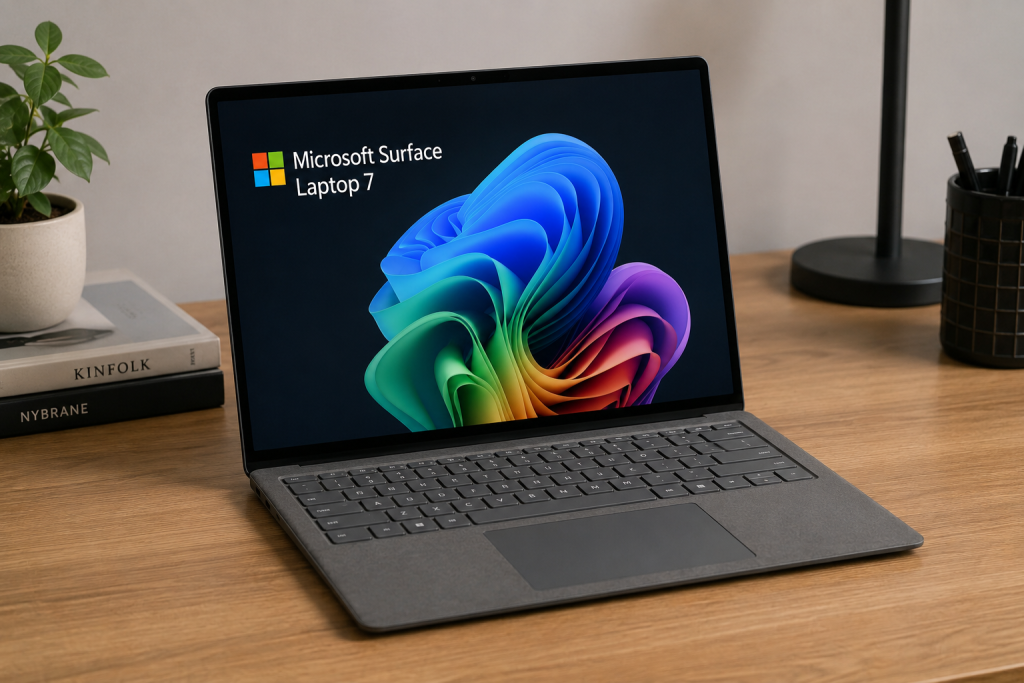
The Surface Laptop 7 marked a major shift for Microsoft’s laptop lineup: <cite index=”18-1″>announced in May 2024 alongside the Surface Pro 11, it dropped Intel and AMD chips entirely in favor of Qualcomm’s Snapdragon X Plus and Snapdragon X Elite processors</cite>, positioning itself as Microsoft’s answer to the Apple Silicon MacBook Air. It’s a Copilot+ PC, meaning it includes a dedicated neural processing unit for on-device AI features.
It comes in two sizes — 13.8-inch and 15-inch — <cite index=”18-1″>available in sapphire, dune, platinum, and black color options</cite>, and is built for people who live out of a laptop bag: students, consultants, and remote/hybrid professionals who prioritize battery life and portability over raw expandability.
(Note: Microsoft has since also released Intel-based Surface Laptop 7 variants for business customers, but the original and most widely reviewed version — and the one this comparison focuses on — uses Qualcomm’s Snapdragon X silicon.)
Design and Build Quality
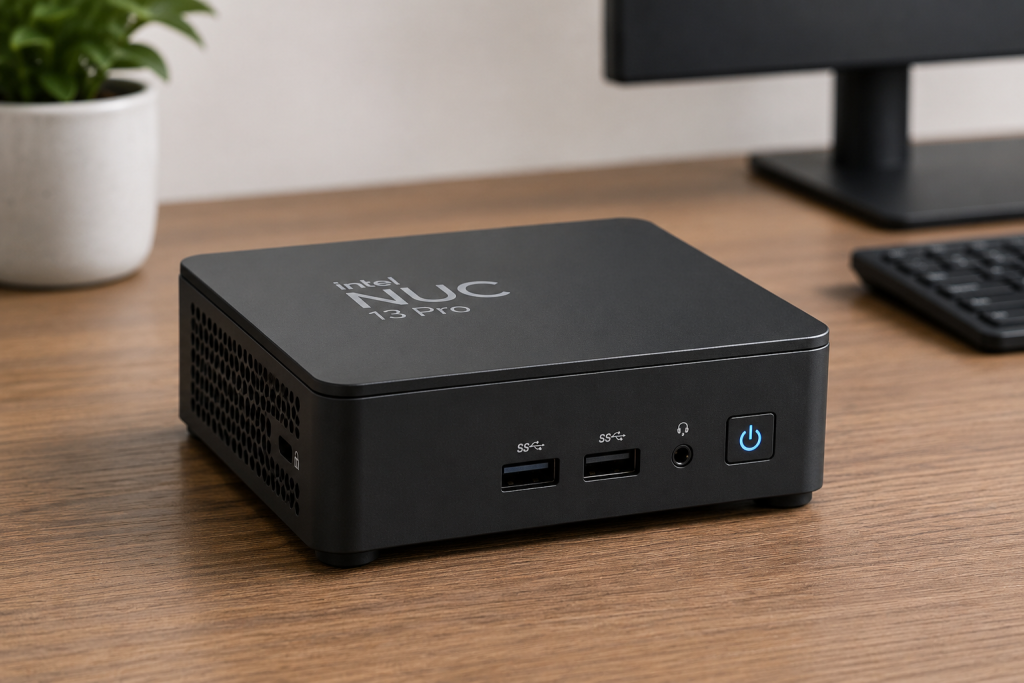
The NUC 13 Pro is unapologetically utilitarian. <cite index=”3-1″>The slim chassis is about 37mm thick and occupies roughly 11.7 x 11.2cm of desk space</cite> — small enough to mount behind a monitor or tuck under a desk. It’s a plain box designed to disappear, not to be admired, though later “Vivid Canyon” variants introduced a white-and-silver finish as an alternative to the standard black.
The Surface Laptop 7, by contrast, is a design-forward product. Reviewers note <cite index=”12-1″>superb build quality with an anodized aluminum case, slightly thinner bezels, and more curvature than its predecessor</cite>. Microsoft also emphasizes sustainability in its construction, with <cite index=”11-1″>100% recycled aluminum alloy used in the A cover and C bucket, and 100% recycled rare earth metals in its magnets</cite>.
If aesthetics and portability matter, the Surface wins outright. If you just need a small, functional box that lives out of sight, the NUC does its job without needing to look good doing it.
Performance Comparison
Both machines target productivity and everyday computing rather than gaming or heavy content creation, but they get there very differently — one through a traditional hybrid x86 core design, the other through an efficiency-first Arm chip.
Processor (CPU) Comparison
The NUC 13 Pro’s flagship configuration uses <cite index=”9-1″>a 13th-generation Intel Core i7-1360P with 12 total cores (4 performance, 8 efficient) and 16 threads, with performance cores boosting up to 5GHz and efficiency cores up to 3.70GHz</cite>. Lower-tier configurations step down to Core i5 and i3 chips, while vPro variants add enterprise management features.
The Surface Laptop 7’s top configuration uses <cite index=”12-1″>a 12-core Snapdragon X Elite chip, with a 10-core Snapdragon X Plus available in cheaper configurations</cite>. Reviewers found the Arm chip genuinely competitive: <cite index=”15-1″>the 12-core Snapdragon X Elite has been shown to outperform many current Intel Core i7 chips in multi-threaded productivity workloads</cite>, though native x86 software still needs Microsoft’s Prism emulation layer to run on it.
In short: the NUC’s Intel chip is the safer bet for compatibility with legacy Windows software, while the Surface’s Snapdragon chip trades some compatibility for better efficiency and strong multi-core throughput in native/Arm apps.
Graphics (GPU) Performance
Neither machine is a gaming rig. The NUC 13 Pro uses <cite index=”3-1″>Intel’s Iris Xe Graphics with 96 execution units, running at speeds up to 1.5GHz on the Core i7 model</cite>. Testing found this iGPU delivers <cite index=”3-1″>about 40% less performance than AMD’s competing Radeon 680M integrated graphics</cite>, and reviewers are blunt about its ceiling: <cite index=”5-1″>it’s fine for web work and basic video editing, but the platform has no room for a discrete GPU and isn’t suited to gaming or CAD work</cite>. On the plus side, the NUC can drive external displays extensively — <cite index=”7-1″>up to four monitors via dual HDMI 2.1 and dual Thunderbolt 4 ports</cite>.
The Surface Laptop 7 relies on Qualcomm’s integrated Adreno GPU. It handles everyday productivity, video playback, and light creative work comfortably, but like the NUC, it’s not built for serious gaming — a limitation Microsoft itself acknowledges by positioning the device around productivity and AI rather than entertainment.
RAM and Storage Options
This is one of the NUC’s biggest advantages: real upgradeability. It ships with <cite index=”7-1″>two DDR4-3200 SO-DIMM slots supporting up to 64GB of RAM</cite>, plus <cite index=”7-1″>an M.2 2280 PCIe Gen 4.0 slot, an M.2 2242 PCIe 3.0 slot, and (on the Tall chassis) a 2.5-inch drive bay</cite> — giving you three separate storage options and user-serviceable memory.
The Surface Laptop 7 uses faster LPDDR5x memory (16GB, 32GB, or 64GB depending on configuration), but it’s soldered to the motherboard and cannot be upgraded after purchase — <cite index=”18-1″>a point iFixit specifically criticized in its repairability teardown</cite>. Storage is more flexible: <cite index=”18-1″>the SSD is user-removable, and iFixit praised the relatively easy access to the bottom cover and battery</cite>, though Microsoft notes <cite index=”11-1″>SSD retention/replacement policies apply for enterprise service plans</cite>.
Bottom line: buy the Surface’s RAM configuration you’ll need for the long haul, since you can’t add more later. The NUC lets you upgrade RAM and storage well after purchase.
Display Comparison
This category isn’t really a contest, because the NUC doesn’t include a display at all — you supply your own monitor(s), which is either a pro or a con depending on whether you already own one.
The Surface Laptop 7’s screen is a genuine highlight: a <cite index=”12-1″>3:2 aspect-ratio PixelSense touchscreen offering 201 PPI, Dolby Vision IQ, a 120Hz dynamic refresh rate, and at least a 1300:1 contrast ratio</cite>, available in 13.8-inch and 15-inch sizes. <cite index=”15-1″>The 13.8-inch panel reaches up to 600 nits of brightness</cite>, and the taller 3:2 ratio gives noticeably more vertical space for documents and spreadsheets compared to a typical 16:9 laptop screen.
Connectivity and Ports
The NUC 13 Pro is a connectivity powerhouse for its size: <cite index=”3-1″>1 USB 2.0 port, 3 USB 3.1 Gen2 ports, 2 USB4/Thunderbolt 4 ports, 2 HDMI ports, a Kensington lock slot, and a 3.5mm audio jack</cite>, plus <cite index=”3-1″>an Intel Ethernet Controller I226-V for 10/2500Mbit wired networking and Wi-Fi 6E with Bluetooth 5.3</cite>.
The Surface Laptop 7 is comparatively minimalist, following Microsoft’s typical thin-and-light approach: USB-C (with Thunderbolt/USB4 support depending on configuration), one USB-A port, the magnetic Surface Connect charging port, and a headphone jack — no built-in Ethernet. Reviewers have flagged the <cite index=”18-1″>port selection as one of the Surface Laptop 7’s weaker points</cite> compared to competitors.
Battery Life and Power Efficiency, Power Consumption
Here the comparison is fundamentally asymmetric: the NUC has no battery and draws continuous wall power (typically in the 20–40W range for the CPU alone, more under full load), since it’s a desktop, not a portable device.
The Surface Laptop 7’s Snapdragon X Elite chip was built specifically to chase Apple Silicon–level efficiency, and by most accounts it succeeded. Microsoft’s own testing claims <cite index=”11-1″>up to 22 hours of local video playback on the 15-inch model and up to 15 hours of web browsing</cite>, and <cite index=”11-1″>up to 20 hours of video playback with 13 hours of web browsing on the 13.8-inch model</cite>. Independent lab testing backed this up closely: Laptop Mag’s continuous web-browsing test had the <cite index=”14-1″>Surface Laptop 7 last 15 hours and 44 minutes, beating the Dell XPS 14 and running close to modern MacBook Pro results</cite>. Real-world users have reported similarly strong results, with one reviewer noting the battery <cite index=”17-1″>dropped by no more than 10% during multi-hour work sessions</cite>, which the same review called remarkable given the laptop’s relatively modest 54 watt-hour battery.
If unplugged, all-day computing is a priority, the Surface Laptop 7 is in a different league entirely — there’s simply no equivalent metric for the NUC, which must stay tethered to power.
Cooling and Noise Levels
The NUC 13 Pro uses active cooling with an internal fan, but Intel’s design has been noted for staying reasonably quiet even under load, aided by the Iris Xe platform’s relatively modest thermal output at 28–40W TDP.
The Surface Laptop 7 benefits from the Snapdragon X Elite’s low power draw, and reviewers have specifically called out how cool and quiet it runs: <cite index=”18-1″>fans were noted to only spin up during benchmark tests, and even at full speed were described as not unbearable</cite>. For users who work in quiet environments — libraries, shared offices, coffee shops — this is a meaningful advantage.
Upgradeability and Repairability
This is the NUC 13 Pro’s strongest category by far. Its barebones design means <cite index=”10-1″>users add their own memory, storage, and operating system</cite>, and getting inside the chassis is simple — <cite index=”2-1″>it requires removing just four Phillips-head screws from the bottom cover to access the DRAM and M.2 bays</cite>. RAM, storage, and even Wi-Fi cards can typically be swapped out years down the line.
The Surface Laptop 7 scores respectably for a modern ultraportable — <cite index=”18-1″>iFixit gave it an overall repairability rating of 8 out of 10</cite>, citing the user-removable SSD and relatively easy access to the bottom cover and battery — but <cite index=”18-1″>RAM remains soldered onto the board, which iFixit specifically noted as a downside</cite>. It’s more repairable than most ultraportables, but nowhere near as flexible as a mini-PC built around swappable components.
Software and Operating System
The NUC 13 Pro runs standard x86 Windows 11 (sold separately on most kits) or Linux distributions, giving it full native compatibility with essentially all Windows software, drivers, and enterprise tools without any emulation layer.
The Surface Laptop 7 runs <cite index=”18-1″>a pre-installed 64-bit version of Windows 11 on Arm</cite>. Microsoft has worked hard to close the software gap: <cite index=”18-1″>the company claims 90% of total app-usage minutes now happen in apps with native Arm versions</cite>, and <cite index=”18-1″>major software including Chrome, Photoshop, Illustrator, and Premiere Pro have rolled out native Arm builds</cite>. For anything that isn’t yet Arm-native, <cite index=”18-1″>Windows 11’s Prism emulation layer handles x86 translation</cite>, though performance and compatibility can be inconsistent for niche or older software — something IT-heavy or legacy-software-dependent users should test before committing.
Real-World Performance
In daily productivity use — email, browsers with dozens of tabs, video calls, spreadsheets, and document editing — both machines handle the workload comfortably. The NUC benefits from unlimited wall power and no thermal-throttling-from-a-thin-chassis concerns, so it can sustain higher performance for longer, CPU-intensive tasks like video encoding or compiling code.
The Surface Laptop 7 impressed reviewers with how well it holds up under everyday mixed workloads even on battery: one review specifically tested it during <cite index=”12-1″>a productivity-heavy workday at a mobile test environment and reported strong real-world results, not just synthetic benchmark numbers</cite>. For most office-style work, the difference in practice is small — the real differentiators are portability and battery versus expandability and raw sustained performance.
Pros and Cons
Intel NUC 13 Pro
Pros:
- Full x86 compatibility, no emulation needed
- Highly upgradeable RAM and storage
- Extensive port selection, including dual Thunderbolt 4 and wired Ethernet
- Supports up to four external monitors
- Small footprint that hides behind or under a monitor
Cons:
- No display, keyboard, mouse, or battery included
- Integrated graphics only — not for gaming or GPU-heavy work
- Immobile — needs a permanent desk setup
- Barebones pricing hides real total cost once RAM/storage/peripherals are added
Microsoft Surface Laptop 7
Pros:
- Outstanding battery life for a Windows laptop
- Premium build quality and a genuinely excellent 3:2 touchscreen
- Runs cool and quiet under normal use
- Strong Copilot+ AI features via dedicated NPU
- Fully portable, all-in-one design
Cons:
- RAM is soldered and can’t be upgraded later
- Limited port selection, no built-in Ethernet
- Some x86 software still needs emulation and may behave inconsistently
- Not suited to gaming or GPU-intensive workloads
Who Should Buy Intel NUC 13 Pro?
The NUC 13 Pro makes the most sense for people who already have a desk setup — a monitor, keyboard, and mouse — and want a compact, quiet, upgradeable PC to drive it. It’s an especially strong fit for IT departments deploying standardized business desktops, home-lab and self-hosting enthusiasts who want to run servers or virtual machines, and anyone who wants desktop performance and native x86 compatibility without giving up desk space to a full tower.
Who Should Buy Microsoft Surface Laptop 7?
The Surface Laptop 7 is built for people whose work happens away from a single desk: students moving between classes, consultants and hybrid workers who need a laptop that survives a full day unplugged, and anyone who wants a genuinely premium, Apple-Silicon-competitive Windows experience. It’s an easy recommendation if all-day battery life, portability, and a great screen matter more to you than expandability or guaranteed native compatibility with older Windows software.
Price and Value for Money
The NUC 13 Pro’s barebones pricing looks appealing on paper — <cite index=”9-1″>prices range from around $360 for a stripped-down model to about $1,000 for a fully equipped configuration with a Core i7-1360P, 16GB of RAM, and a 512GB Gen 4 NVMe SSD</cite> — but that number doesn’t include the display, keyboard, mouse, or (in many kits) an OS license. One review summed up the real math bluntly: <cite index=”10-1″>a barebones kit runs about $1,000 RRP, and a fully decked-out unit can reach around $1,500 before factoring in the necessary peripherals</cite>.
The Surface Laptop 7 is more straightforward, since everything you need is in the box: <cite index=”16-1″>it starts at around $999</cite>, with <cite index=”12-1″>configurations ranging up to $2,000 for the 12-core Snapdragon X Elite with 32GB of RAM and a 1TB SSD</cite>, and international pricing following a similar structure — <cite index=”13-1″>a 16GB/512GB Snapdragon X Elite configuration runs about £1,449, while the cheaper Snapdragon X Plus variant with 256GB of storage starts at about £1,049</cite>.
Value ultimately depends on what you already own: if you have a monitor, keyboard, and mouse sitting around, the NUC can be the cheaper path to strong desktop performance. If you’re starting from scratch or need portability, the Surface’s all-in-one price is easier to budget for.
Frequently Asked Questions (FAQs)
Can the Intel NUC 13 Pro run modern games? Not comfortably. Its Iris Xe integrated graphics are <cite index=”5-1″>fine for web browsing and basic video editing but are not designed for gaming or CAD work</cite>, and there’s no room inside the chassis for a discrete GPU.
Does the Surface Laptop 7 run all Windows software? Most popular apps now run natively on Arm, and <cite index=”18-1″>Microsoft states around 90% of app-usage minutes now happen in native Arm apps</cite>, but older or niche x86-only software relies on the Prism emulation layer, which can have inconsistent performance.
Can I upgrade the RAM in either device later? Yes for the NUC 13 Pro — <cite index=”7-1″>it has two SO-DIMM slots supporting up to 64GB of DDR4</cite>. No for the Surface Laptop 7 — <cite index=”18-1″>its RAM is soldered to the motherboard</cite>, so you need to choose your configuration carefully at purchase.
Which one has better battery life? This isn’t really comparable, since the NUC has no battery at all and runs exclusively on wall power. The Surface Laptop 7 is built specifically for battery efficiency, with independently tested results around <cite index=”14-1″>15 hours and 44 minutes of continuous web browsing</cite>.
Which is cheaper overall? It depends on what you already own. The NUC’s barebones price looks lower, but once you add a monitor, keyboard, mouse, RAM, storage, and a Windows license, total cost can approach or exceed a comparably specced Surface Laptop 7, which includes everything needed out of the box.
Final Verdict
The Intel NUC 13 Pro and Microsoft Surface Laptop 7 aren’t really competing for the same buyer — they’re solving different problems. The NUC is the right call if you want a small, quiet, highly upgradeable desktop brain that plugs into hardware you already own, with full native x86 compatibility and desktop-grade sustained performance. The Surface Laptop 7 is the right call if you want a single premium device that goes anywhere, lasts all day on a charge, and handles everyday productivity and AI features without compromise on portability.
If your priority is flexibility, upgradeability, and desktop-class performance at your own desk: go with the NUC 13 Pro. If your priority is battery life, portability, and a premium all-in-one experience: go with the Surface Laptop 7.