Introduction
MSI makes machines for very different corners of the computing world, and the PRO DP21 and Katana 15 are a perfect example of that range. One is a 2.3-liter mini desktop built for offices, kiosks, and space-constrained workstations. The other is a 15.6″ gaming laptop built to run modern titles at high frame rates. They aren’t really direct competitors — but a lot of shoppers land on both product pages while trying to figure out “what kind of MSI computer do I actually need?” This guide breaks down where each one shines, where each falls short, and who should buy which.
Because both product lines span several generations (the DP21 has 11M/12M/13M revisions, and the Katana 15 has B12/B13/B14 and HX variants), specs below describe the typical current configurations. Always check the exact model number and spec sheet before buying, since CPU, GPU, and RAM vary by SKU.
Quick Comparison Table
| Category | MSI PRO DP21 | MSI Katana 15 |
|---|---|---|
| Form factor | 2.3L mini desktop | 15.6″ gaming laptop |
| CPU | Intel Core i3/i5/i7 (10th–13th Gen, non-K, low power) | Intel Core i7 (13th/14th Gen H/HX series) |
| GPU | Integrated Intel UHD graphics only | NVIDIA RTX 3050 up to RTX 5070 (discrete) |
| RAM | Up to 64GB DDR4, dual-channel | Up to 32GB DDR5 |
| Storage | M.2 NVMe SSD + optional 2.5″ bay(s) | M.2 NVMe PCIe Gen4 SSD |
| Display | None built-in (external monitor required, up to 4K@60Hz) | 15.6″ FHD 144Hz or QHD 165Hz IPS-level panel |
| Portability | Not portable, VESA-mountable | Fully portable laptop |
| Primary use case | Business, POS, kiosk, office productivity | Gaming, content creation on the go |
| Starting price range | Budget-friendly | Mid-range gaming laptop pricing |
MSI PRO DP21 Overview
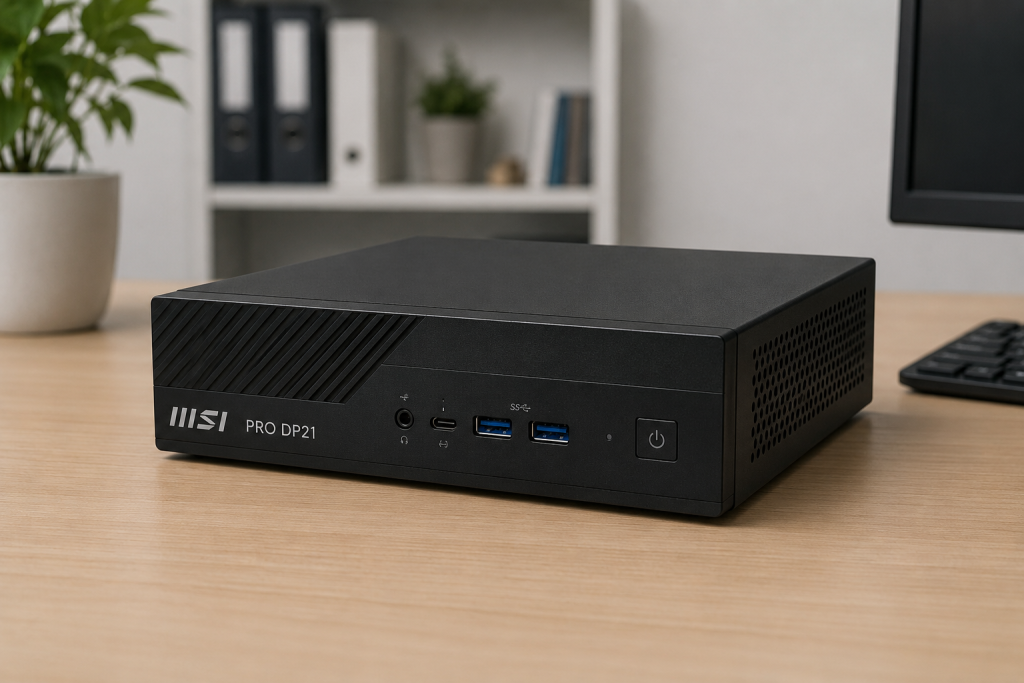
The <cite index=”1-1″>PRO DP21 is a small form factor PC built for professionals, with an Intel CPU, a COM port, and a 24/7 reliability guarantee, designed to fit into business environments like retail, kiosks, digital signage, education, government, and small businesses.</cite> It’s meant to disappear — mounted behind a monitor or tucked under a desk — while still doing real office work.
Its defining feature is the <cite index=”3-1″>2.3-liter compact chassis paired with an Intel Core i-series processor and memory that scales up to dual-channel 3200MHz 64GB, along with support for 4K@60Hz output</cite>. It’s not a machine you buy for its raw power; you buy it for its footprint, reliability, and I/O flexibility.
MSI Katana 15 Overview
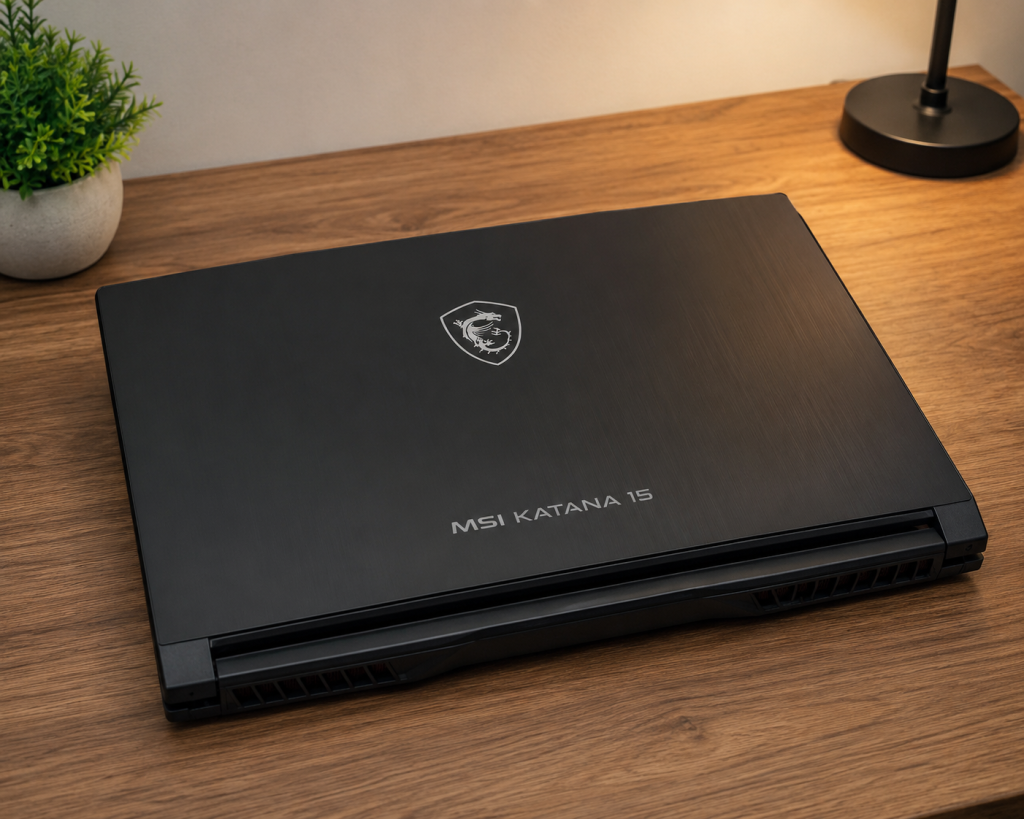
The Katana 15 is MSI’s entry-to-mid-tier gaming laptop line. Depending on the generation, it pairs an <cite index=”9-1″>Intel 13th Gen i7-13620H CPU with an NVIDIA RTX 4060 GPU, discrete graphics mode via MUX design, DDR5 RAM, and an NVMe PCIe Gen4 SSD</cite>. Newer HX variants push further, with <cite index=”11-1″>an Intel Core i9-14900HX processor and up to an NVIDIA GeForce RTX 5070 Laptop GPU with 8GB of GDDR7 memory built on the NVIDIA Blackwell architecture</cite>.
Design-wise, it leans into gaming aesthetics: <cite index=”11-1″>a 4-zone RGB keyboard with backlit WASD keys and gamer-styled keycaps</cite>, plus a cooling system MSI calls <cite index=”11-1″>Cooler Boost 5, paired with a “Share Pipe” heat pipe connecting the CPU and GPU for better thermal handling</cite>.
Key Specifications Comparison
| Spec | PRO DP21 | Katana 15 |
|---|---|---|
| CPU generation | Intel 10th–13th Gen (H-series/desktop low power) | Intel 13th/14th Gen H/HX |
| Base example | i3-13100 / i5-12400 / i7-11700 | i7-13620H / i9-14900HX |
| GPU | Intel UHD 730/750 (integrated) | RTX 3050 to RTX 5070 (dedicated) |
| RAM type | DDR4, dual-channel | DDR5 |
| Storage | <cite index=”6-1″>Dual-channel DDR4 modules, up to 64GB RAM, with NVMe SSD storage</cite> | NVMe PCIe Gen4 SSD, typically 512GB–1TB |
| Networking | <cite index=”6-1″>Intel Wi-Fi 6 AX201, Bluetooth 5.2, and a Realtek gigabit Ethernet LAN</cite> | Wi-Fi 6/6E, Bluetooth |
| Ports | <cite index=”5-1″>USB 3.2 Gen 1 Type-A, RJ45, HDMI (4K@60Hz), COM ports, mic-in, line-out</cite> | USB-A, USB-C (some with Thunderbolt 4), HDMI, Ethernet |
| Battery | N/A (plugged-in desktop) | Built-in battery, several hours of light use |
Design and Build Quality
The DP21 is built around minimalism and utility. Its VESA-mountable chassis means it can be hidden entirely — screwed to the back of a monitor, tucked under a retail counter, or wall-mounted next to a kiosk display. There’s no display, no keyboard, and no battery to worry about; it’s a box that plugs into whatever peripherals a business already owns.
The Katana 15 takes the opposite approach. It’s a self-contained system with a screen, keyboard, trackpad, speakers, webcam, and battery, styled with gamer-oriented RGB accents. It’s heavier and thicker than an ultrabook (as most gaming laptops are), trading portability for cooling headroom and a bigger battery to feed a discrete GPU.
If you care about desk aesthetics and having a system you never see, the DP21 wins. If you need something you can close and carry to a dorm, LAN party, or coffee shop, that’s the Katana’s entire reason for existing.
Performance Comparison
Raw CPU-only performance is closer than you’d expect — a Core i7-13620H in the Katana isn’t dramatically faster than a Core i7 desktop chip in the DP21 for everyday tasks like spreadsheets, browsing, or video calls. The real gap is the GPU. The DP21 relies entirely on integrated Intel graphics, which is fine for office work and video playback but not built for anything graphically demanding. The Katana’s dedicated NVIDIA GPU changes the entire performance envelope, enabling gaming, GPU-accelerated rendering, and AI workloads the DP21 simply can’t touch.
Processor (CPU) Comparison
Both lines use Intel mobile/desktop H-series-class silicon rather than high-end desktop K-series chips, so neither is a raw multi-core powerhouse in isolation. The DP21’s CPU options range from Pentium and Core i3 configurations up through <cite index=”8-1″>a 12th Gen Intel Core i5-12400 capable of turbo speeds up to 4.4 GHz</cite>, or the higher-end <cite index=”2-1″>Core i7-11700 at 2.5GHz</cite> in older revisions. The Katana 15 tops out with more headroom, especially in HX configurations built around <cite index=”11-1″>the Intel Core i9-14900HX</cite>, which is designed for sustained higher clocks under heavier cooling.
Graphics (GPU) Comparison
This is the single biggest differentiator between the two machines. The DP21 has no dedicated GPU in any configuration — <cite index=”4-1″>integrated Intel UHD graphics is standard across the line</cite>. The Katana 15, by contrast, is built around discrete NVIDIA graphics, spanning <cite index=”13-1″>an RTX 3050</cite> in entry configs up to <cite index=”11-1″>an RTX 5070 Laptop GPU with 8GB of GDDR7 memory on Blackwell architecture</cite> in the HX line. If gaming, 3D rendering, or GPU-accelerated editing is on your list, the DP21 is not built for it at all.
Memory (RAM) and Storage
The DP21 has a memory advantage on paper: it supports <cite index=”6-1″>dual-channel DDR4 up to 64GB</cite>, versus the Katana’s typical ceiling of 32GB DDR5. In practice, DDR5 is faster per-module, so the Katana’s RAM performs better even at lower capacity — but the DP21 can be configured with far more total memory for RAM-hungry office or database workloads. Storage on both lines centers on NVMe SSDs, with the DP21 <cite index=”4-1″>also offering an extra 2.5″ drive bay for additional storage expansion</cite> that the Katana’s thinner chassis doesn’t offer.
Display Comparison
The DP21 has no built-in screen — <cite index=”3-1″>it outputs up to 4K@60Hz to an external display</cite> of your choosing, which is actually a plus for anyone who already owns a monitor or needs multiple displays. The Katana 15 includes a dedicated panel, either a <cite index=”11-1″>15.6″ FHD 144Hz IPS-level panel or a QHD (2560×1440) 165Hz panel with 100% DCI-P3 color coverage</cite> on higher configurations — tuned specifically for smooth, colorful gaming.
Connectivity and Ports
The DP21 leans business-first with its port selection: <cite index=”5-1″>four USB 3.2 Gen 1 Type-A ports, an RJ45 Ethernet jack, an HDMI output, two COM ports, and mic-in/line-out jacks</cite>, plus newer revisions adding <cite index=”6-1″>a reversible USB 3.2 Gen 2 Type-C port</cite>. Those COM ports matter a lot for retail and industrial use, since they connect to barcode scanners, receipt printers, and PLCs. The Katana 15 sticks to a more conventional laptop port set — USB-A, USB-C (Thunderbolt 4 on some models), HDMI, and Ethernet — without the legacy serial connectivity the DP21 offers.
Upgrade Options
The DP21’s small chassis still leaves room to swap RAM, add a second storage drive, or upgrade the SSD, making it reasonably serviceable for an office IT department. The Katana 15, like most gaming laptops, typically allows RAM and SSD upgrades through a rear access panel but has a soldered or fixed CPU/GPU — what you buy is what you’re stuck with on the graphics side.
Cooling and Thermal Performance
Because the DP21 has no discrete GPU and runs lower-power CPUs, its cooling needs are modest — <cite index=”6-1″>it uses a server-grade thermal module to manage heat across its compact form factor</cite>. The Katana 15 has to dissipate far more heat from a CPU and GPU running together under load, which is why MSI equips it with <cite index=”11-1″>Cooler Boost 5 and a Share Pipe heat pipe connecting both the CPU and GPU</cite>. Gaming laptops inherently run hotter under sustained load than a low-power mini desktop ever will.
Power Consumption
The DP21’s integrated-graphics-only design keeps power draw low, typically in the same range as a basic office desktop — well suited to always-on kiosk or retail duty. The Katana 15, running a discrete high-wattage GPU alongside an H/HX-series CPU, draws considerably more power under load and needs a much larger power brick, though it can throttle down for lighter, unplugged use.
Gaming Performance
There’s no contest here. The DP21’s integrated graphics can handle very light or older titles at best, and MSI itself doesn’t position it as a gaming machine. The Katana 15 is explicitly built for gaming, with configurations that scale from solid 1080p performance on an RTX 3050 up to strong 1440p performance on an RTX 5070, backed by <cite index=”9-1″>DDR5 memory and PCIe Gen4 storage</cite> to keep load times short.
Productivity and Office Work
Here the tables turn. For spreadsheets, browsers with 40 tabs open, email, video calls, and general office software, the DP21 is purpose-built and often more cost-effective than a laptop with a GPU you’ll never use for that work. Its support for <cite index=”3-1″>up to 64GB of RAM</cite> also makes it a strong option for multitasking-heavy office roles. The Katana 15 can absolutely do office work too, but you’d be paying for gaming hardware you don’t need for that purpose.
Content Creation Performance
For lightweight content work — photo editing, basic video trims, document design — the DP21 gets by fine, especially in higher-RAM configurations. But anything GPU-accelerated (video rendering with hardware encoding, 3D work, AI image/video generation) plays to the Katana’s strengths, since its dedicated NVIDIA GPU and Tensor cores handle those workloads far faster than integrated graphics ever could.
Noise and Fan Performance
The DP21, with its lower thermal load, tends to run quieter, especially at idle or during typical office tasks. The Katana 15’s fans spin up noticeably under gaming or rendering loads to keep the CPU and GPU cool, which is a normal tradeoff for the performance on tap — quiet at idle, audible under stress.
Price and Value for Money
The DP21 is generally the cheaper machine overall, especially in base configurations, and delivers strong value for offices that already own monitors, keyboards, and mice. The Katana 15 costs more but includes an entire portable computing package — screen, battery, keyboard, and a genuinely capable GPU — which is a fair value proposition specifically for buyers who want gaming or graphics performance on a budget compared to premium gaming laptop lines.
Pros and Cons
MSI PRO DP21
- Pros: extremely compact and VESA-mountable, quiet, energy-efficient, supports up to 64GB RAM, legacy COM ports for POS/industrial use, budget-friendly
- Cons: no dedicated GPU, no built-in display or battery, not suitable for gaming or GPU-heavy work
MSI Katana 15
- Pros: dedicated NVIDIA GPU up to RTX 5070, high-refresh display options, DDR5 memory, portable all-in-one package, strong gaming and creative performance
- Cons: higher price, louder under load, shorter battery life under heavy use, GPU/CPU not upgradeable after purchase
Who Should Buy MSI PRO DP21?
The DP21 makes sense for small businesses, retail counters, digital signage setups, schools, government offices, and home office users who already own a monitor and just need a reliable, low-maintenance, space-saving computer for productivity work. If your daily tasks are documents, browsers, POS software, and video calls, this is the more sensible — and cheaper — choice.
Who Should Buy MSI Katana 15?
The Katana 15 is for gamers, students who want one machine for classes and gaming, and casual content creators who need a portable system with real GPU power. If gaming performance, portability, or GPU-accelerated creative work matters to you, the DP21 simply isn’t an option — the Katana 15 is the right category of machine.
Frequently Asked Questions (FAQs)
Can the MSI PRO DP21 play games? Only very light or older titles, since it relies entirely on integrated Intel graphics with no dedicated GPU.
Does the MSI Katana 15 work well for office tasks? Yes — its CPU and RAM handle office workloads easily, though you’re paying for gaming hardware you won’t fully use for that purpose.
Which one is more upgradeable? The DP21 generally offers easier RAM and storage upgrades in a serviceable chassis, while the Katana 15 allows RAM/SSD upgrades but keeps its CPU and GPU fixed.
Which is cheaper? The DP21 is typically the less expensive option in comparable configurations, since it has no discrete GPU, display, or battery to pay for.
Do they compete for the same buyers? Not really — the DP21 targets business/office/kiosk use, while the Katana 15 targets gamers and mobile users. Someone choosing between them usually has two very different use cases in mind.
Final Verdict
The MSI PRO DP21 and MSI Katana 15 aren’t really rivals — they’re built for opposite ends of the computing spectrum. The DP21 is a quiet, compact, budget-conscious workhorse for offices and business environments where a screen and dedicated GPU aren’t needed. The Katana 15 is a portable gaming laptop with real graphics horsepower for players and creators who need to take their performance with them. Choose the DP21 for space-saving productivity, and choose the Katana 15 when gaming or GPU-driven work is the priority.