Choosing between the Crucial T705 and the Seagate FireCuda 530 really comes down to one question: do you need PCIe 5.0 headroom, or is a proven, now-affordable PCIe 4.0 drive the smarter buy? These two SSDs sit a full generation apart, but by 2026 the FireCuda 530 has aged into a genuine value pick while the T705 remains the drive to get if you want the fastest storage money can buy. Here’s how they actually compare.
Quick Comparison Table
| Spec | Crucial T705 | Seagate FireCuda 530 |
|---|---|---|
| Interface | PCIe 5.0 x4, NVMe 2.0 | PCIe 4.0 x4, NVMe 1.4 |
| Controller | Phison PS5026-E26 | Phison PS5018-E18 |
| NAND | Micron 232-layer TLC | Micron 176-layer TLC |
| Capacities | 1TB / 2TB / 4TB | 500GB / 1TB / 2TB / 4TB |
| Sequential read/write (2TB) | Up to 14,500 / 12,700 MB/s | Up to 7,300 / 6,900 MB/s |
| Random IOPS (peak) | Up to 1,550K / 1,800K | Up to 800K–1,000K |
| Endurance (2TB) | 1,200 TBW | 2,550 TBW |
| Warranty | 5 years | 5 years + 3 years Rescue Data Recovery |
| Encryption | AES256, TCG Opal 2.01 | None |
| Best for | Bleeding-edge speed, future-proofing | Value, endurance, PS5 upgrades |
Overview of Crucial T705
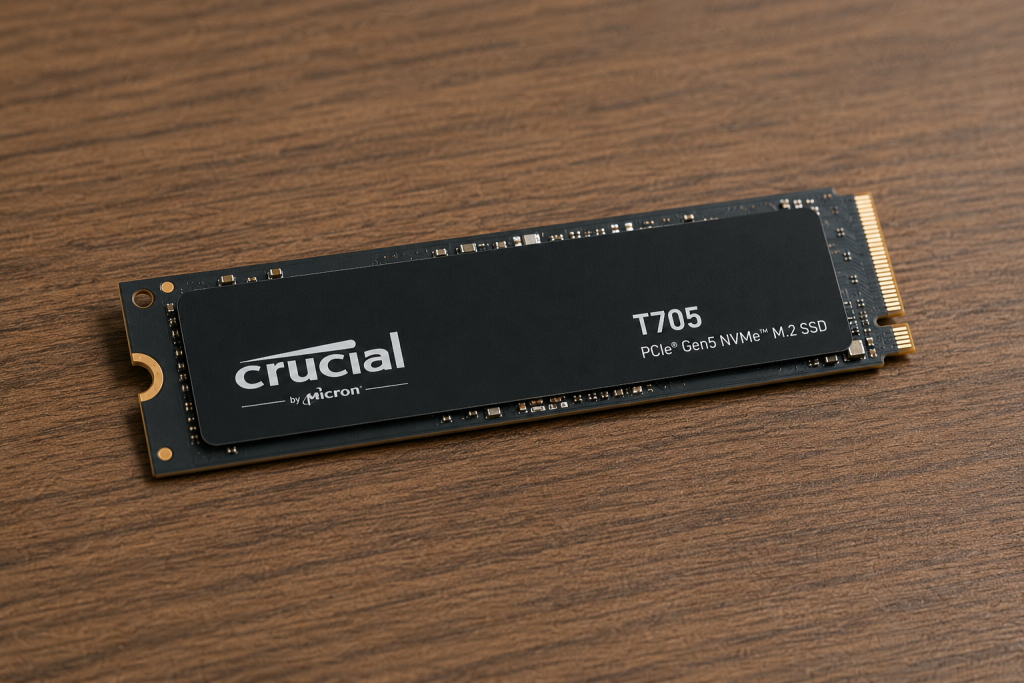
The T705 is Micron’s second-generation PCIe 5.0 consumer drive, replacing the T700 as the fastest SSD the company has shipped. It pairs the Phison E26 controller with Micron’s newer 232-layer TLC NAND running at 2,400 MT/s, which is what pushes it to the top of the sequential-speed charts. It’s sold in 1TB, 2TB, and 4TB capacities, each available with or without a factory heatsink (and a limited white heatsink option on the 2TB model). It’s a double-sided M.2 2280 drive, so case and motherboard clearance matters more than with slimmer single-sided SSDs.
Overview of Seagate FireCuda 530
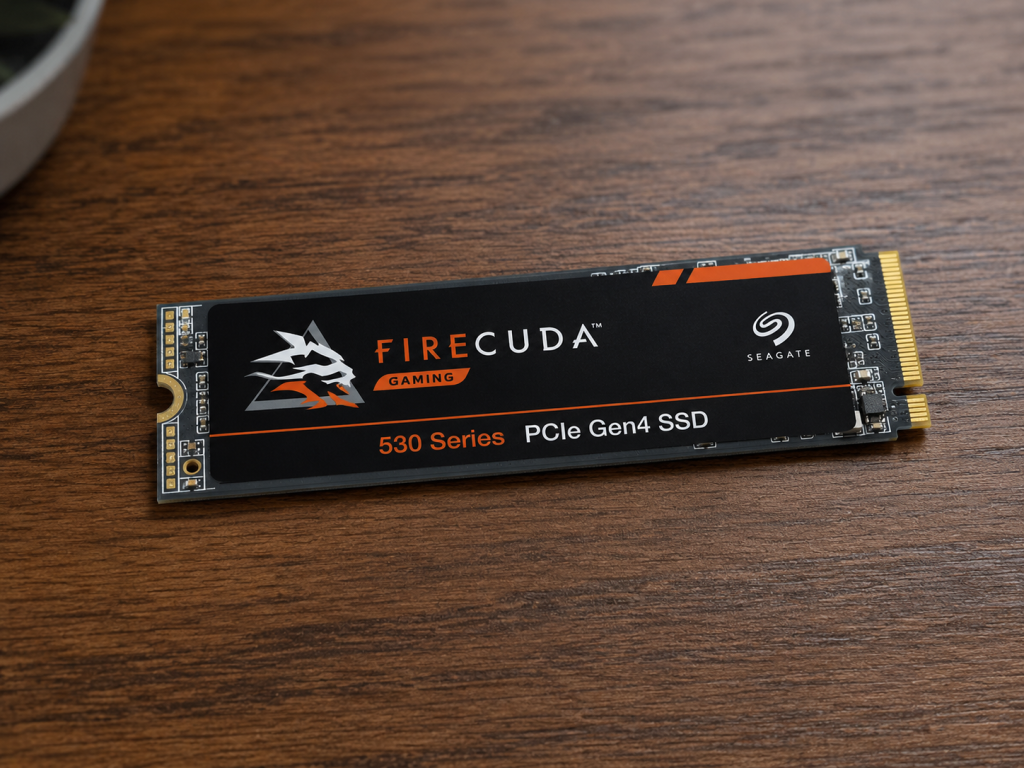
The FireCuda 530 has been Seagate’s flagship gaming SSD since 2021, built around the well-regarded Phison E18 controller and Micron 176-layer TLC NAND. It never chased Gen5 speeds, but Seagate compensated with unusually high endurance ratings and a bundled data-recovery service, positioning it as the durability-focused choice rather than the outright-fastest one. It ships in four capacities (500GB up to 4TB) and is one of the most common recommendations for expanding PS5 storage, since Sony’s console only supports PCIe 4.0 drives anyway.
Key Specifications Compared
Beyond the headline numbers, a few architectural differences matter:
- Generation gap: The T705 uses PCIe 5.0, roughly doubling the raw interface bandwidth of the FireCuda 530’s PCIe 4.0 link. But that bandwidth is only usable on Gen5-capable motherboards, and even then, cooling and CPU platform matter — Phison has noted that 13th/14th-gen Intel CPUs make more efficient use of PCIe 5.0 drives.
- Endurance: This is where the FireCuda 530 actually wins. At 2TB, it’s rated for 2,550 TBW versus the T705’s 1,200 TBW, and Seagate’s ratio scales the same way across capacities. If you write huge volumes of data regularly, the FireCuda 530’s flash is rated to absorb more of it before end-of-life.
- Security: The T705 supports AES256 encryption and TCG Opal 2.01, useful for business or sensitive-data use. The FireCuda 530 has no hardware encryption at all — a deliberate choice Seagate has said reflects its “gaming drive” positioning.
- Extra protection: The FireCuda 530 throws in three years of Rescue Data Recovery Services on top of its five-year warranty, something the T705 doesn’t match.
Performance Comparison
On paper, there’s no real contest: the T705’s rated 14,500/12,700 MB/s sequential figures are roughly double the FireCuda 530’s 7,300/6,900 MB/s. Independent testing backs this up — reviewers have clocked the T705 pushing past 14 GB/s reads and over 12 GB/s writes in CrystalDiskMark, numbers that sit right at the theoretical ceiling of a PCIe 5.0 x4 link.
But raw sequential throughput rarely reflects everyday computing. Outside of large file transfers and specific creative workloads, both drives feel similarly fast in day-to-day Windows use — boot times, app launches, and background file operations were already fast enough on PCIe 4.0 that most users won’t perceive much difference. Where the T705 pulls ahead in the real world is multi-queue, multi-threaded workloads: software that issues many simultaneous I/O requests will see a genuine, measurable benefit from the extra bandwidth and the E26 controller’s higher IOPS ceiling.
Gaming Performance
For gaming specifically, the gap narrows dramatically. Game load times are gated more by CPU, engine design, and asset streaming than by raw SSD throughput once you’re already on a fast NVMe drive — the jump from a good PCIe 4.0 drive to a PCIe 5.0 drive shaves fractions of a second off most load screens, not seconds. The FireCuda 530 is also the more “correct” choice for console gamers: the PS5 only supports PCIe 4.0 SSDs, and Sony specifically recommends drives rated for at least 5,500 MB/s sequential read, which the FireCuda 530 clears comfortably with room to spare. Early PCIe 5.0 drives, including E26-based models, had documented compatibility hiccups in the PS5, and while firmware updates have resolved most of that, there’s simply no upside to buying Gen5 speed a console can’t use.
Content Creation and Professional Workloads
This is where the T705 earns its price tag. Crucial specifically markets it for CAD and DirectStorage-accelerated applications, and its sustained write performance is substantial — testing has shown it writing at over 12 GB/s in pSLC cache mode for extended periods before falling back to native TLC speeds. For editors moving large 4K/8K video files, working with huge CAD assemblies, or shuffling multi-hundred-gigabyte datasets, that headroom translates into real time saved. The FireCuda 530 is no slouch for these tasks either — it holds up well in application workload benchmarks and even passed OCP-style server boot workload testing in some third-party reviews — but it simply can’t match the T705’s ceiling when a workload can actually saturate a PCIe 5.0 link.
Thermal Performance and Power Efficiency
PCIe 5.0 drives run hotter by nature, and the T705 is no exception — its heatsink version uses a substantial finned aluminum design, and even then, sustained heavy workloads will push temperatures higher than a comparable Gen4 drive. The FireCuda 530, helped by its EKWB-designed heatsink, has been measured reaching peak temperatures in the low-70s°C under extended load without throttling, which is respectable for a drive of its performance class. If your case has limited airflow around the M.2 slot, the FireCuda 530 is the easier drive to keep cool, while the T705 benefits more from a case with active airflow across the M.2 area, especially on motherboards with underwhelming stock heatsinks.
Reliability, Endurance, and Warranty
Both drives carry a standard five-year warranty, but their approaches diverge:
- Crucial T705: 600 TB of writes per TB of capacity (1,200 TBW at 2TB), which is solid but not class-leading for a flagship drive.
- Seagate FireCuda 530: A markedly higher 2,550 TBW at 2TB, plus three years of bundled Rescue Data Recovery Services — a level of after-sale support that’s unusual outside enterprise storage.
If long-term write endurance and a safety net for accidental data loss matter more to you than peak speed, the FireCuda 530 has the stronger reliability story on paper, even though it’s the older architecture.
Price and Value for Money
At launch, the T705’s MSRPs ranged from roughly $240 (1TB) to $730 (4TB with heatsink), a steep early-adopter premium for PCIe 5.0 performance. The FireCuda 530 launched at similarly aggressive prices in 2021, but as a now-mature PCIe 4.0 drive it has fallen substantially — 2TB models have dipped as low as the $130–150 range during sales, making it one of the best price-per-terabyte options among premium Gen4 drives.
In practical terms, the FireCuda 530 delivers noticeably better value for anyone who doesn’t specifically need Gen5 bandwidth, while the T705 asks you to pay a real premium for headroom that only a subset of workloads will actually use.
Pros and Cons
Crucial T705
- ✅ Fastest consumer SSD sequential speeds available
- ✅ Strong multi-queue/IOPS performance for demanding software
- ✅ Hardware encryption support (AES256, TCG Opal 2.01)
- ❌ Higher price, especially at launch
- ❌ Lower endurance rating than the FireCuda 530
- ❌ Requires a PCIe 5.0 motherboard to unlock full performance; runs hotter
Seagate FireCuda 530
- ✅ Excellent price-to-performance now that it has matured
- ✅ Class-leading endurance ratings for its generation
- ✅ Three years of bundled data recovery service
- ✅ Fully PS5-compatible out of the box
- ❌ No hardware encryption
- ❌ Roughly half the sequential throughput of the T705
- ❌ PCIe 4.0 ceiling means it won’t gain anything from future Gen5 platforms
Who Should Buy the Crucial T705?
Pick the T705 if you’re building a high-end PCIe 5.0 workstation and regularly move enormous files — 4K/8K video, large CAD models, big datasets — where sustained sequential throughput directly saves you time. It also makes sense if you simply want the fastest drive available and have a Gen5-capable motherboard to actually take advantage of it.
Who Should Buy the Seagate FireCuda 530?
Pick the FireCuda 530 if you want excellent performance at a much friendlier price, need class-leading endurance for heavy, sustained write workloads, or you’re upgrading a PS5’s storage. It’s also the more sensible choice if your motherboard only supports PCIe 4.0, since the T705’s extra bandwidth would go completely unused.
Final Verdict
Neither drive is a bad buy — they’re just built for different priorities. The Crucial T705 is the drive to buy if raw speed is the point, and you have the platform and budget to justify it. The Seagate FireCuda 530 is the more sensible purchase for most people in 2026: it’s dramatically cheaper than it used to be, backed by stronger endurance and data-recovery coverage, and fast enough that you won’t feel like you’re missing out in day-to-day use or gaming. Unless your workflow genuinely saturates a PCIe 5.0 link, the FireCuda 530 is very likely the better dollar-for-dollar choice, while the T705 remains the drive for enthusiasts and professionals who want the fastest consumer SSD on the market and are willing to pay for it.
Frequently Asked Questions (FAQs)
Is the Crucial T705 backward compatible with PCIe 4.0 motherboards? Yes. It will run in a PCIe 4.0 slot, though speeds are capped at Gen4 limits — testing shows sequential performance holds up well even in that mode, so it’s not a wasted purchase on an older platform.
Can I use the Crucial T705 in a PS5? Technically it can work, but PCIe 5.0 drives had documented compatibility issues in the PS5 early on. The FireCuda 530 is the safer, purpose-built choice for console upgrades since it’s fully within Sony’s supported spec.
Which drive has better endurance? The Seagate FireCuda 530, by a wide margin — 2,550 TBW versus 1,200 TBW at the 2TB capacity.
Does either drive support hardware encryption? Only the Crucial T705, which includes AES256 encryption and TCG Opal 2.01 support. The FireCuda 530 has no built-in encryption.
Is the extra speed of the T705 worth it for gaming? Not dramatically. Game load times depend more on the game engine and CPU than raw sequential SSD speed once you’re already on a fast NVMe drive, so most gamers won’t notice a large difference between the two.
Which drive offers better value in 2026? The Seagate FireCuda 530, since its price has dropped substantially since launch while the T705 still carries a premium tied to its PCIe 5.0 positioning.