Overview
These two drives don’t really compete for the same job, and it’s worth saying that up front. The Lexar NM790 is a PCIe Gen4 NVMe M.2 SSD built for speed — boot drives, game installs, active project files. The Seagate FireCuda HDD is a 7200-RPM mechanical 3.5″ drive built for capacity — bulk storage, game libraries, media archives, and backups.
Putting them side by side only makes sense if you’re deciding how to split storage in a PC build: fast NVMe for what you use daily, cheap-per-terabyte spinning storage for everything else. This guide treats it that way.
Key Specifications
| Spec | Lexar NM790 | Seagate FireCuda HDD |
|---|---|---|
| Type | PCIe Gen4 x4 NVMe SSD | 3.5″ SATA HDD (CMR) |
| Form factor | M.2 2280 | 3.5-inch internal |
| Interface | PCIe 4.0 x4 / NVMe 2.0 | SATA 6Gb/s |
| Capacities | 512GB, 1TB, 2TB, 4TB, 8TB | 1TB–8TB+ |
| Sequential read | Up to 7,400 MB/s (7,000 MB/s on 8TB) | Up to 255–260 MB/s |
| Sequential write | Up to 6,500 MB/s (6,200 MB/s on 8TB) | Similar, mechanically limited |
| Spindle speed | N/A | 7,200 RPM |
| Cache | DRAM-less (HMB 3.0 + dynamic SLC) | 256MB |
| Endurance | Up to 3,000 TBW (4TB model) | 300TB/year workload rating |
| Warranty | 5 years | 5 years (incl. 3-year Rescue Data Recovery) |
<br>
The single biggest number to notice: <cite index=”2-1″>the NM790 delivers up to 7,400MB/s sequential read and 6,500MB/s sequential write speeds, with random read speeds up to 1,000,000 IOPs</cite>. Meanwhile <cite index=”12-1″>the FireCuda HDD achieves sustained transfer rates of up to 260 MB/s</cite>. That’s roughly a 25–30x gap in raw sequential throughput — which tells you everything about why these drives serve different purposes.
Design and Build Quality
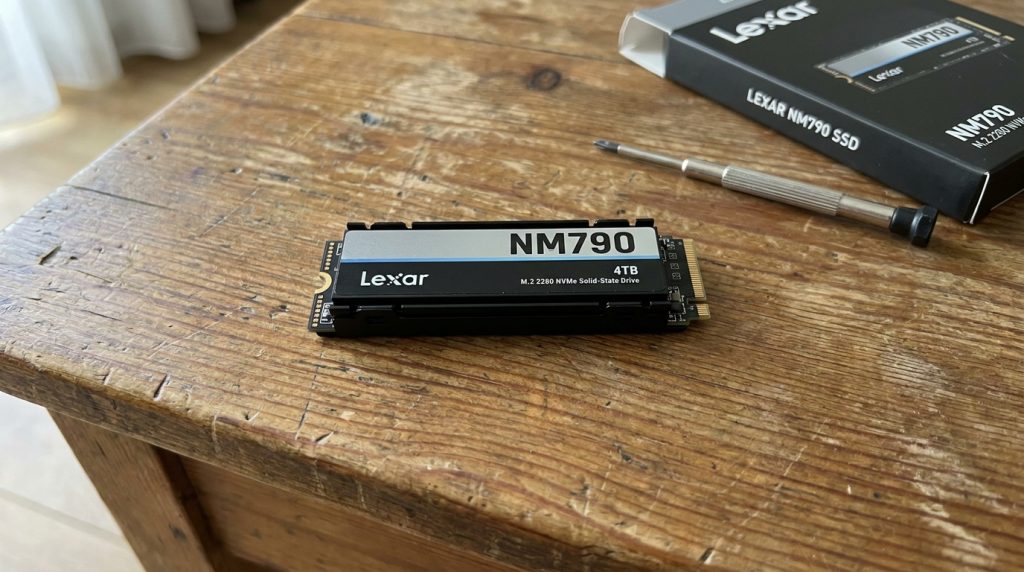
The NM790 is about as unassuming as storage gets: a small M.2 gumstick that disappears into your motherboard. <cite index=”3-1″>It comes in a single-sided M.2 2280 form factor</cite>, and <cite index=”4-1″>Lexar packs 4TB of TLC NAND into that svelte, single-sided design</cite> — notable because single-sided drives are easier to cool and are required by some thin laptops. A heatsink version is also available for desktop builds where thermals matter more.
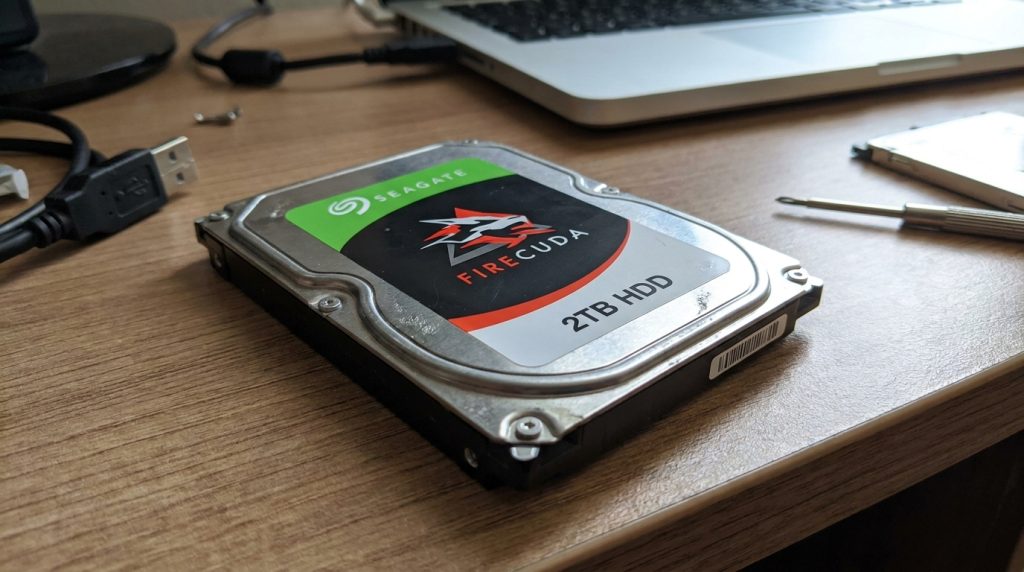
The FireCuda HDD is a traditional 3.5″ mechanical drive — <cite index=”1-1″>a standardized 3.5-inch form factor with a SATA III interface</cite>. There’s nothing exotic in its construction; it’s built to be reliable, easy to mount in any ATX case or NAS bay, and to last. Seagate does dress up its external FireCuda line with RGB lighting for the gaming crowd, but the internal bare-drive version is purely functional.
Performance Comparison
There isn’t much of a contest here on paper, and it isn’t supposed to be one.
- Sequential speed: The NM790 is faster by more than an order of magnitude.
- Random access / latency: SSDs have no moving parts, so the NM790 wins by an even larger margin on random reads/writes and access latency — this is what actually makes an OS feel “snappy.”
- Sustained large-file transfers: This is the FireCuda’s best showing, though it still tops out far below the NM790.
Speed and Benchmarks
<cite index=”9-1″>The NM790 offers 7,400MB/s read and 6,500MB/s write performance and uses Host Memory Buffer (HMB) 3.0 instead of a dedicated DRAM cache</cite>, paired with dynamic SLC caching to keep speeds consistent during sustained writes. Independent testing found the drive genuinely competitive with DRAM-equipped rivals despite lacking that cache — <cite index=”4-1″>Tom’s Hardware called it an all-around excellent PCIe 4.0 NVMe SSD that rivals even high-end Gen4 drives</cite>.
On the FireCuda side, <cite index=”11-1″>the drive is rated for 7,200-RPM speeds over a SATA 6Gb/s interface, with a 256MB cache and maximum sustained transfers of 255MB/s</cite>. That’s a strong number for a mechanical drive — it’s near the ceiling of what 7200-RPM CMR technology can deliver — but it’s a different performance category entirely from NVMe.
Features Comparison
Lexar NM790:
- <cite index=”2-1″>Host Memory Buffer (HMB) 3.0 to borrow system DRAM instead of an onboard cache, plus dynamic SLC caching for sustained write speed</cite>
- <cite index=”2-1″>Consumes up to 40% less power than DRAM-cache-enabled PCIe Gen4 SSDs</cite>
- <cite index=”9-1″>Built on the Maxio MAP1602 controller with 232-layer TLC 3D NAND</cite>
- PS5-compatible (with heatsink variant)
Seagate FireCuda HDD:
- <cite index=”15-1″>Rated for a 300TB/year workload with a large 256MB cache for sustained abuse under gaming and editing workloads</cite>
- <cite index=”13-1″>Compatible with Seagate Toolkit software and Razer Chroma RGB syncing on the external gaming variants</cite>
- <cite index=”12-1″>Comes with a five-year warranty that includes three years of Rescue Data Recovery Services</cite>
Reliability and Durability
Reliability is measured completely differently for these two drive types, so comparing raw numbers isn’t quite apples-to-apples — but each drive’s rating tells you what it’s built to survive.
For the NM790, <cite index=”9-1″>the 1TB model is rated at 1,000TBW, the 2TB at 1,500TBW, and the 4TB at 3,000TBW, with an MTBF of 1,500,000 hours</cite>. <cite index=”3-1″>That endurance level clears the common benchmark of roughly 600TBW per terabyte of capacity that’s considered good for consumer SSDs</cite>.
For the FireCuda HDD, <cite index=”15-1″>Seagate rates the drive for a 300TB/year workload</cite>, and the included Rescue Data Recovery Services add a safety net if the drive does fail mechanically — something SSDs don’t offer an equivalent for, since NAND failure is usually catastrophic rather than gradual.
Power Consumption
The NM790 is the clear winner here. <cite index=”2-1″>Lexar states it consumes up to 40% less power than DRAM-cache-enabled PCIe Gen4 SSDs</cite>, and <cite index=”7-1″>the 4TB model has a maximum power draw of just 4W</cite>. That matters a lot for laptop battery life and for handheld gaming PCs.
Mechanical drives inherently draw more power because they have to spin a physical platter continuously — typically in the 5–8W range for idle/active use on a 7200-RPM 3.5″ drive like the FireCuda, though Seagate doesn’t heavily advertise this figure for the gaming HDD line.
Noise and Heat Levels
This is one category where the SSD wins by default: it’s silent and has no moving parts to generate mechanical noise. The FireCuda HDD, running at 7200 RPM, produces the audible spin-up whir and occasional head-seek clicking typical of any performance-tier mechanical drive — not loud, but noticeable in a quiet room, especially under sustained random I/O.
Heat-wise, the NM790’s DRAM-less design and lower power draw generally keep temperatures manageable, though sustained heavy writes on Gen4 SSDs can still get warm enough that a heatsink (which Lexar offers) is worth using in a desktop build. The FireCuda generates steady, moderate heat from spindle rotation but rarely runs hot enough to need dedicated cooling beyond standard case airflow.
Capacity Options
<cite index=”4-1″>The NM790 is available in 512GB, 1TB, 2TB, and 4TB capacities</cite>, with <cite index=”1-1″>an 8TB variant also offered at slightly reduced speeds (7,000MB/s read, 6,200MB/s write)</cite>.
The FireCuda HDD line scales much higher for the price, with models commonly available from 1TB up through 8TB and beyond — mechanical drives remain the far cheaper way to get double-digit terabytes of storage.
Compatibility
<cite index=”2-1″>The NM790 is compatible with laptops, desktop computers, and the PlayStation 5</cite>, provided the system has an available M.2 slot supporting PCIe Gen4 (it will still work, at reduced speed, in a Gen3 slot).
<cite index=”13-1″>The FireCuda HDD uses a standard 3.5-inch SATA III 6Gb/s interface</cite>, making it compatible with essentially any desktop PC, tower case, or NAS enclosure with a free 3.5″ bay and SATA port — no motherboard generation requirements to worry about.
Pros and Cons
Lexar NM790
Pros:
- Exceptional sequential and random speeds for the price
- Very low power draw and good thermals for a DRAM-less design
- Single-sided design fits thin laptops and the PS5
- Strong endurance ratings and 5-year warranty
Cons:
- Capacity tops out lower than HDDs for the same budget
- No dedicated DRAM cache (relies on HMB, though this rarely matters in practice)
- Cost per terabyte much higher than mechanical storage
Seagate FireCuda HDD
Pros:
- Much lower cost per terabyte, especially at high capacities
- 7200-RPM CMR performance is strong for a mechanical drive
- Included Rescue Data Recovery Services add peace of mind
- Broad compatibility with any SATA-equipped system
Cons:
- Sequential speeds are a fraction of what NVMe SSDs deliver
- Noticeably higher latency for random access workloads
- Audible operation and moving parts mean more points of mechanical failure
- Higher power draw than the SSD
Price Comparison
SSD pricing scales steeply with capacity: <cite index=”4-1″>the NM790 has launched at prices around $48.96 for 512GB, $69.99 for 1TB, $109.88 for 2TB, and $196.15 for 4TB</cite> (street prices fluctuate and have generally trended lower since). The heatsink versions run a bit higher — <cite index=”9-1″>around $80 for 1TB, $154 for 2TB, and $268 for 4TB at review time</cite>.
The FireCuda HDD costs far less per terabyte. Mechanical drives at 4TB–8TB capacities typically run well under half the per-GB cost of even budget NVMe SSDs, which is the entire reason HDDs remain relevant for bulk storage in 2026.
Best Use Cases
Choose the NM790 for:
- OS/boot drive
- Actively played games (especially open-world titles with long load times)
- Video editing scratch disks and active project files
- Laptops or handhelds where battery life and heat matter
Choose the FireCuda HDD for:
- Bulk game library storage (installed but not actively loading)
- Media archives, backups, and cold storage
- NAS setups needing large capacity per dollar
- Secondary storage paired with a smaller, faster SSD as the boot drive
Who Should Buy the Lexar NM790?
Pick the NM790 if your priority is speed: faster boots, quicker load screens, and snappier application launches. It’s a strong choice for gamers building a PS5 storage expansion, for laptop users who want long battery life without sacrificing performance, or for creators who need a responsive scratch disk for editing 4K footage. If your workflow is bottlenecked by storage speed rather than storage space, this is the drive.
Who Should Buy the Seagate FireCuda HDD?
Pick the FireCuda HDD if your priority is capacity per dollar. It makes sense as a second drive in a gaming rig — one that holds your entire Steam library, or serves as a media server / NAS volume where multi-terabyte capacity matters far more than millisecond load times. Pair it with a smaller NVMe SSD as your boot drive, and you get the best of both worlds without paying SSD prices for bulk storage.
Frequently Asked Questions (FAQ)
Can I use the Lexar NM790 and Seagate FireCuda HDD together in one PC? Yes — this is actually the most common and sensible setup. Use the NM790 as your boot/OS drive and active game drive, and the FireCuda HDD as bulk storage for your larger library and backups.
Is the NM790 fast enough for the PS5? Yes. <cite index=”2-1″>Lexar designed the NM790 to be compatible with the PS5</cite>, and its sequential speeds comfortably clear Sony’s minimum requirement for PS5 expansion storage.
Does the FireCuda HDD use SMR or CMR recording? <cite index=”12-1″>The FireCuda HDD uses CMR (Conventional Magnetic Recording)</cite>, which is preferable to SMR for consistent write performance, especially in NAS or RAID configurations.
Which drive has the better warranty? Both carry 5-year warranties. <cite index=”12-1″>The FireCuda additionally bundles three years of Seagate’s Rescue Data Recovery Services</cite>, a data-recovery safety net that’s particularly valuable for a mechanical drive, which fails differently (and often more gradually) than NAND flash.
Is a DRAM-less SSD like the NM790 actually reliable for daily use? Independent reviews found it holds up well against DRAM-equipped competitors thanks to HMB 3.0 and dynamic SLC caching, and its endurance ratings meet or exceed the industry rule of thumb for consumer drives.
Final Verdict
This isn’t really a “which one should you buy” comparison in the traditional sense — it’s a “which job does each one do” comparison. The Lexar NM790 wins decisively on every speed metric and is the better choice for anything performance-sensitive: your OS, your actively played games, your editing projects. The Seagate FireCuda HDD wins decisively on cost-per-terabyte and total capacity, making it the better choice for bulk storage, archives, and libraries you don’t need instant access to.
For most builders in 2026, the smartest answer is both: NM790 for speed, FireCuda HDD for space.