Introduction
On paper, this looks like a strange matchup — the HP Elite Mini 800 G9 is a compact business desktop, while the Lenovo IdeaPad Slim 5 is a mainstream consumer laptop. But it’s a comparison a lot of buyers actually face: “Do I want a tiny, powerful desktop box that lives on my desk, or a slim laptop I can carry anywhere?” Both machines target similar budgets and similar users — students, professionals, and home-office workers — just from opposite ends of the form-factor spectrum. This guide breaks down where each one wins, so you can decide which shape of computer actually fits your life.
Quick Comparison Table
| Feature | HP Elite Mini 800 G9 | Lenovo IdeaPad Slim 5 |
|---|---|---|
| Form factor | Ultra-small desktop (mini PC) | Thin-and-light laptop |
| CPU options | Intel Core i3/i5/i7/i9 (12th–14th Gen) | Intel Core i5/i7 H-series (13th Gen) or AMD Ryzen |
| Graphics | Intel UHD (integrated); optional discrete module | Intel UHD / AMD Radeon (integrated) |
| RAM | Up to 64 GB DDR5, dual SO-DIMM, user-upgradeable | Up to 16–32 GB, soldered or limited upgrade depending on config |
| Storage | Dual M.2 NVMe slots, up to 2TB each | Single M.2 NVMe SSD, typically 512GB–1TB |
| Display | None included (BYO monitor) | 14″–16″ FHD/WQXGA, IPS or OLED options |
| Ports | Extensive: USB-C 20Gbps, multiple USB-A, DisplayPort, HP Flex I/O | Standard laptop port set, some models with Wi-Fi 7 |
| Portability | Requires monitor, keyboard, mouse | Fully self-contained, battery-powered |
| Starting price | ~$1,350+ | ~$600–$900 |
| Best for | Office/hybrid work, upgradeability, multi-monitor setups | Mobility, students, all-in-one convenience |
HP Elite Mini 800 G9 Overview
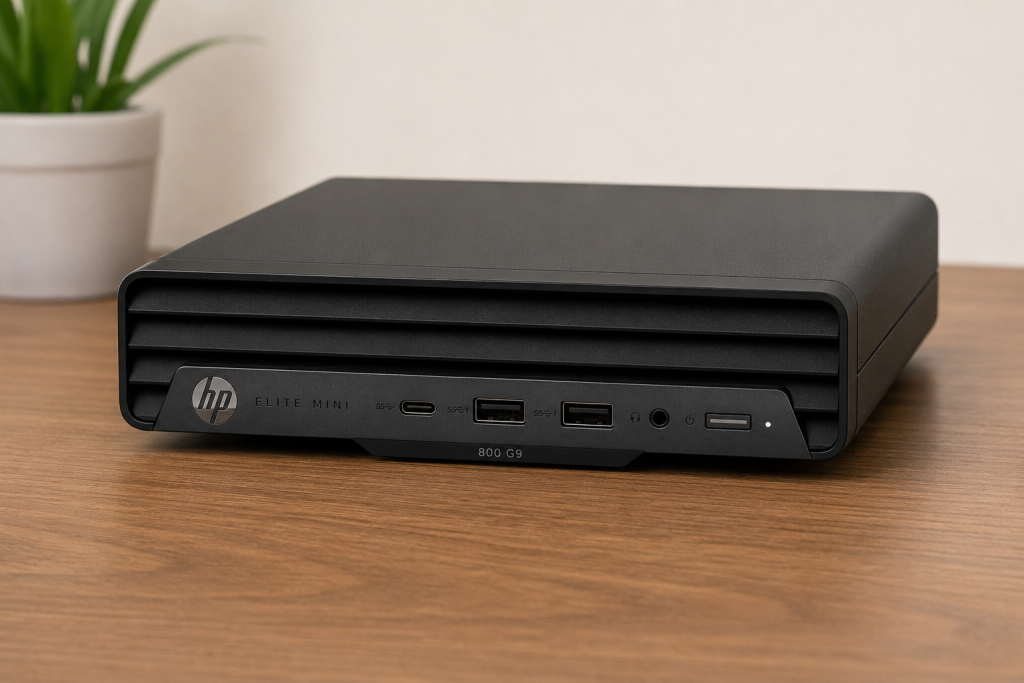
The HP Elite Mini 800 G9 is part of HP’s Elite 800 G9 desktop family, built around Intel’s Q670 chipset and available in 12th, 13th, and 14th Generation Core configurations, from Core i3 up to Core i9. <cite index=”6-1″>It features Intel UHD Graphics with optional discrete graphics, and offers up to 64 GB of DDR5 memory for the Mini/AiO form factor</cite>. It’s designed as a “desktop that can travel” — small enough to fit in a bag, but built with commercial-grade security features and an extensive HP Wolf Security suite aimed squarely at business and hybrid-work buyers.
Lenovo IdeaPad Slim 5 Overview
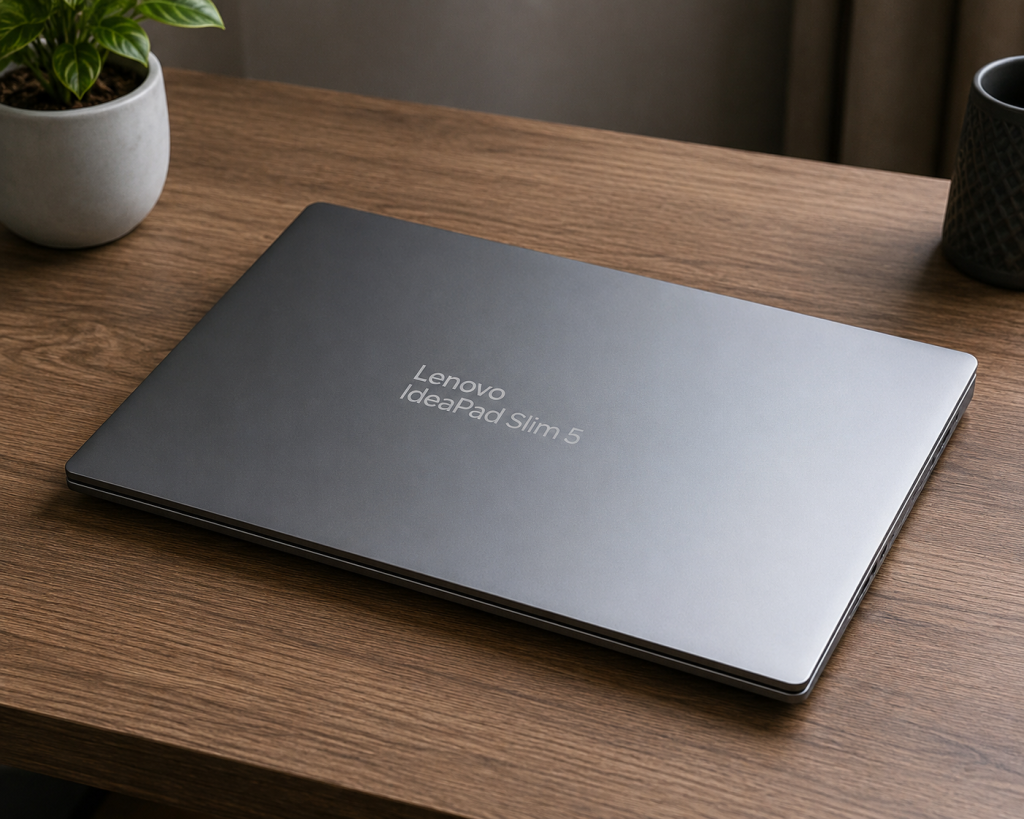
The IdeaPad Slim 5 is Lenovo’s mainstream thin-and-light laptop line, sold in multiple screen sizes (14″, 15″, and 16″) and chassis variants with either Intel or AMD processors. <cite index=”12-1″>Intel configurations use 13th Generation H-series Core i5 or i7 chips</cite>, while AMD variants use Ryzen processors. <cite index=”13-1″>Higher-end models feature an aluminum top and bottom with sandblasted anodizing</cite>, and some configurations offer <cite index=”14-1″>a 15.1″ WQXGA OLED display with 100% DCI-P3 coverage and a 165Hz refresh rate</cite>. It’s positioned as an everyday laptop for students, professionals, and light creative work.
Design and Build Quality
The Elite Mini 800 G9 is built for the desk, not the backpack — <cite index=”9-1″>its tiny form factor resembles a pizza box scaled down to about 25 percent size</cite>, and it can even be mounted behind a compatible monitor to disappear entirely from your desk footprint. HP also leans into sustainability, with recycled plastics used throughout the chassis.
The IdeaPad Slim 5, by contrast, is judged by laptop standards: thinness, weight, and how it feels in daily carry. Premium configurations get an <cite index=”13-1″>aluminum top and bottom panel with an anodized, sandblasted finish</cite>, available in cosmic blue or luna grey. <cite index=”13-1″>Weight ranges from roughly 1.69 kg to 1.93 kg depending on battery size and display panel</cite> — light enough for daily commuting, though not in ultraportable territory.
These aren’t really comparable on “build quality” in the same sense — one is judged on desk footprint and expandability, the other on portability and chassis rigidity.
Performance Comparison
Both machines can be configured similarly on paper, but they target different performance ceilings. The Elite Mini’s desktop-class processors run at higher sustained power than a laptop chip can, especially in the higher-wattage Core i7/i9 configurations, making it the stronger choice for sustained multi-core workloads. The IdeaPad Slim 5’s H-series or Ryzen mobile chips prioritize battery efficiency and thermal headroom appropriate for a thin chassis, so they’ll throttle sooner under sustained heavy loads than a desktop equivalent.
Processor (CPU) Comparison
<cite index=”9-1″>The Elite Mini 800 G9 can be configured with T-series low-power processors as well as more traditional 65-watt Core i3, i5, and i7 chips spanning 12th and 13th Generation Intel silicon</cite>, and HP’s QuickSpecs confirm support extending to 14th Gen. <cite index=”7-1″>Top-end configurations can be specced with a Core i9-13900 processor</cite>.
The IdeaPad Slim 5’s Intel variants use <cite index=”12-1″>13th Gen H-series chips — the Core i5-13420H (8 cores/12 threads, up to 4.6GHz) and Core i7-13620H (10 cores/16 threads, up to 4.9GHz)</cite> — while AMD variants use Ryzen mobile processors. These are strong mobile chips, but they’re tuned for a laptop thermal envelope rather than desktop-sustained boost clocks.
Verdict: The Elite Mini has the edge for sustained CPU-heavy tasks (compiling, rendering, heavy multitasking) thanks to its desktop thermal design and higher-wattage CPU options; the IdeaPad’s H-series chips are still plenty capable for everyday and even moderately demanding work, just with less sustained headroom.
Graphics Performance
Neither machine is a gaming rig by default. <cite index=”6-1″>The Elite Mini 800 G9 ships with integrated Intel UHD Graphics, with optional discrete graphics available on certain configurations</cite>. The IdeaPad Slim 5 similarly relies on integrated graphics — Intel UHD on Intel models, AMD Radeon integrated graphics on AMD models — which is generally solid for everyday use and light creative work but not built for serious gaming or GPU-intensive rendering.
If graphics performance matters to you, check whether your specific Elite Mini configuration includes the optional discrete graphics module, as this is the one place it can meaningfully outpace the Slim 5.
Memory (RAM) Options
This is one of the Elite Mini’s biggest advantages. <cite index=”9-1″>It supports 8 GB to 64 GB of DDR5-4800 RAM via two SO-DIMM slots</cite>, and <cite index=”6-1″>newer configurations with select 14th Gen processors push memory speed up to 5600 MT/s</cite>. Critically, <cite index=”4-1″>all memory slots on the Elite Mini are customer accessible and upgradeable</cite>.
The IdeaPad Slim 5’s RAM ceiling varies by model, generally topping out around 16–32 GB depending on configuration, and upgradeability is more limited on many SKUs since some memory is soldered directly to the motherboard rather than in swappable slots.
Storage Options
<cite index=”9-1″>The Elite Mini offers a wide range of storage via two internal M.2 slots, supporting 256 GB, 512 GB, 1 TB, or 2 TB of PCIe NVMe SSD storage in each slot</cite> — meaning you can configure well over 2TB total, plus RAID 0/1 support on select configurations for redundancy or speed. The IdeaPad Slim 5 typically ships with a single M.2 NVMe SSD, commonly in the 512GB–1TB range, which is ample for most users but offers less room to expand later.
Display Quality
The Elite Mini doesn’t include a display at all — <cite index=”9-1″>it’s a bare desktop unit, so you’ll need to supply your own monitor(s)</cite>, which is actually a strength for anyone who wants a large monitor, an ultrawide, or a multi-monitor setup, since <cite index=”6-1″>it supports up to 4 displays on UMA graphics configurations</cite>.
The IdeaPad Slim 5 bakes the display into the price, and it can be a genuinely nice one — top configurations offer <cite index=”14-1″>a 15.1″ WQXGA (2560×1600) OLED panel rated at 500 nits with 100% DCI-P3 coverage, a 165Hz refresh rate, and DisplayHDR True Black 600 certification</cite>, while more affordable configurations use a <cite index=”14-1″>15.3″ WUXGA IPS panel at 300 nits with 100% sRGB coverage and a 60Hz refresh rate</cite>.
Ports and Connectivity
The Elite Mini punches above its size here. <cite index=”6-1″>Front-facing ports include a USB-C SuperSpeed port at 20Gbps signaling with charging support, plus two USB-A SuperSpeed ports at 10Gbps</cite>, and <cite index=”6-1″>rear connectivity includes dual-mode DisplayPort 1.4a outputs</cite>. It also supports optional Wi-Fi 7, Wi-Fi 6E, or Wi-Fi 6, and includes HP’s proprietary Flex I/O expansion ports for further customization.
The IdeaPad Slim 5 sticks to a fairly standard laptop port layout (USB-C, USB-A, HDMI, headphone jack), with newer models supporting Wi-Fi 7 as well. It’s sufficient for daily use, but naturally more constrained by the thin chassis than a desktop tower’s worth of ports.
Upgradeability
This category isn’t close. <cite index=”4-1″>All memory slots on the Elite Mini are customer accessible and upgradeable</cite>, and it has dual M.2 storage slots for easy drive swaps or additions. Laptops in the IdeaPad Slim 5 line vary by configuration, but thin-and-light chassis designs generally limit end-user upgrades — RAM is often soldered, and there’s usually only one accessible storage slot. If long-term upgradeability matters to you, the Elite Mini is the clear winner.
Power Consumption
The Elite Mini’s power draw depends heavily on which CPU you choose — T-series chips sip power, <cite index=”9-1″>while standard desktop chips run at 65 watts</cite>, and <cite index=”10-1″>the unit ships with configurable power supplies up to 90W</cite>. Since it has no battery, it draws power continuously while in use, like any desktop.
The IdeaPad Slim 5 is built around battery efficiency by nature of being a laptop, <cite index=”13-1″>with a 65W USB-C AC adapter</cite> and battery life <cite index=”13-1″>rated up to roughly 13.5 hours under MobileMark 30 testing, or up to 22.4 hours of local 1080p video playback</cite> on higher-capacity battery configurations. If all-day cable-free use matters, this is where the laptop fundamentally wins — the desktop simply isn’t in that conversation.
Noise and Cooling Performance
HP specifically engineered the Elite Mini around quiet operation for office environments — <cite index=”4-1″>it uses HP’s “Run Quiet Design,” which finely tunes the fans to minimize noise</cite>, and select configurations even carry <cite index=”6-1″>TÜV Ultra Low Noise certification</cite>. Laptop cooling in a thin chassis like the IdeaPad Slim 5 is inherently more constrained — fans have less room to work with, so under sustained load you’re more likely to hear (and feel, via chassis heat) the cooling system working harder than you would on the desktop.
Best Use Cases
- HP Elite Mini 800 G9: Office and hybrid-work setups, multi-monitor productivity, IT-managed business fleets, anyone wanting a quiet, upgradeable machine that stays put on a desk.
- Lenovo IdeaPad Slim 5: Students, commuters, anyone who needs a single self-contained device for class, coffee shops, travel, or working from different rooms in the house.
Pros and Cons
HP Elite Mini 800 G9
Pros:
- Highly upgradeable RAM and dual storage slots
- Strong port selection and multi-monitor support
- Quiet operation, business-grade security suite
- Very compact desktop footprint
Cons:
- No display, keyboard, mouse, or battery included in base pricing
- Higher starting price for a comparable working setup
- Not portable in the way a laptop is
Lenovo IdeaPad Slim 5
Pros:
- Fully self-contained and genuinely portable
- Strong battery life
- Attractive display options, including OLED on higher configs
- More affordable entry price
Cons:
- Limited upgrade potential (soldered RAM on many configs, single storage slot)
- Mobile CPUs throttle sooner under sustained heavy loads
- Fewer high-end port and expansion options
Price Comparison
<cite index=”9-1″>Elite Mini 800 G9 pricing starts around $1,350 for a stripped-down Core i3 configuration with 8GB RAM and a 256GB SSD — and that price excludes Windows, a keyboard, and a mouse</cite>, meaning your all-in cost climbs further once you add a monitor and peripherals. Better-specced review units have run north of $2,100.
The IdeaPad Slim 5 is priced as a mainstream consumer laptop, generally starting in the $600–$900 range depending on processor, display, and RAM configuration — and that price already includes the screen, keyboard, and battery.
Which One Offers Better Value for Money?
If you already own a monitor, keyboard, and mouse — or need a machine to power a multi-monitor office setup — the Elite Mini’s upgradeability and desktop-class performance make it a smart long-term investment, since you can bump RAM or storage years down the line instead of replacing the whole machine. If you’re starting from scratch and need one device that does everything, the IdeaPad Slim 5 is the better dollar-for-dollar value, since the display, battery, and portability are already baked into a lower price tag.
Who Should Buy HP Elite Mini 800 G9?
- Home-office or hybrid workers who already have a monitor setup
- IT departments deploying business-grade, security-hardened desktops
- Power users who want long-term upgrade flexibility
- Anyone who wants a quiet, compact desktop that can tuck behind a monitor
Who Should Buy Lenovo IdeaPad Slim 5?
- Students who need one portable device for class and home
- Remote workers who move between locations
- Anyone prioritizing battery life and an all-in-one package
- Buyers on a tighter budget who don’t want to buy separate peripherals
Frequently Asked Questions (FAQ)
Can the HP Elite Mini 800 G9 be used without a monitor? No — it’s a headless desktop unit with no built-in display, so you’ll need to connect an external monitor to use it.
Does the Lenovo IdeaPad Slim 5 support RAM upgrades? It depends on the configuration; some models allow limited RAM upgrades, but many thin-and-light configurations use soldered memory, so it’s worth checking your specific model’s spec sheet before buying if upgradeability matters.
Which one is better for gaming? Neither is designed as a gaming machine by default — both primarily rely on integrated graphics. The Elite Mini can be configured with optional discrete graphics on some SKUs, which would give it an edge, but check the specific configuration before assuming gaming performance.
Which is quieter? The Elite Mini, by design — <cite index=”4-1″>HP’s Run Quiet Design specifically tunes the fans for whisper-quiet operation</cite>, and select units carry TÜV Ultra Low Noise certification.
Is the Elite Mini cheaper overall once you add a monitor and peripherals? Not necessarily — once you factor in a monitor, keyboard, and mouse, an equivalent working setup can end up costing more than a comparably specced IdeaPad Slim 5, which includes all of that already.
Final Verdict
These two machines aren’t really competing for the same job — they’re competing for the same budget from two different directions. The HP Elite Mini 800 G9 is the better choice if you value long-term upgradeability, multi-monitor productivity, and quiet desktop performance, and you’re fine building out (or already own) the rest of your desk setup. The Lenovo IdeaPad Slim 5 is the better choice if you want one device that just works, anywhere, right out of the box — with solid battery life and, on higher configs, a genuinely excellent display. Choose based on how you actually work: tethered to a desk with room to grow, or on the move with everything built in.