Introduction
On paper, this looks like a head-to-head storage comparison. In reality, the Kingston KC3000 and the Toshiba P300 2TB aren’t competing for the same job at all. One is a PCIe 4.0 NVMe SSD built for raw speed; the other is a 7200 RPM spinning hard drive built for cheap, high-capacity storage. Comparing them is really a comparison of technologies — flash vs. platters — and understanding that difference is the key to picking the right one for your build. This guide breaks down the specs, performance, reliability, and use cases of both so you know exactly which drive belongs in your PC.
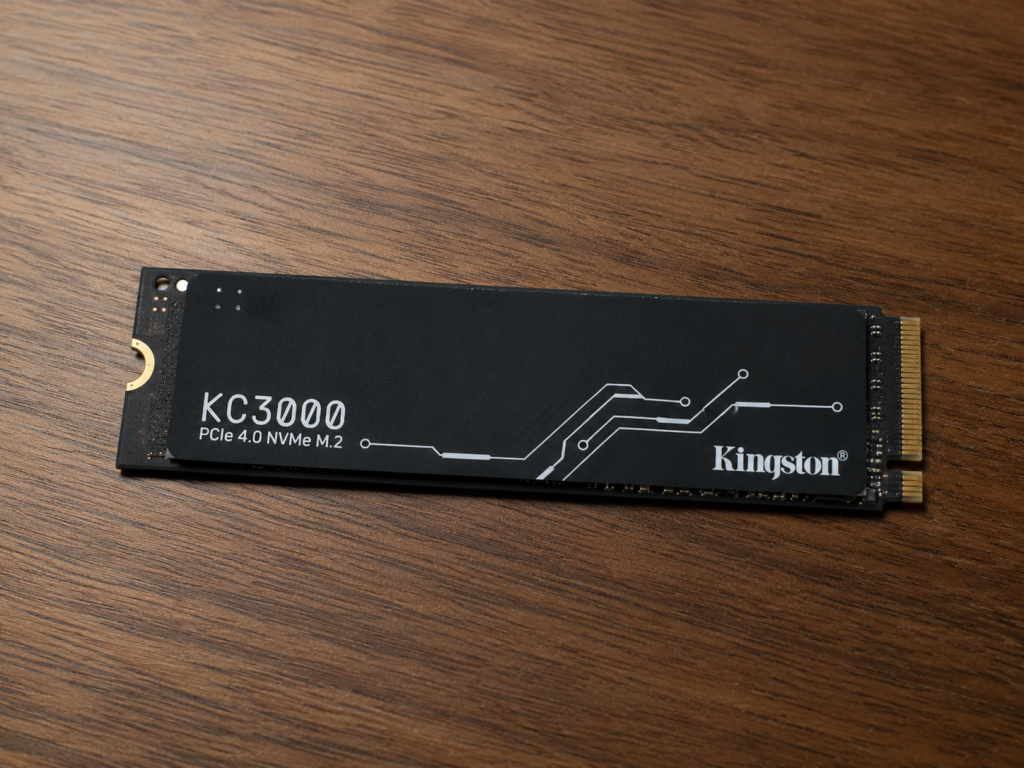
Kingston KC3000 Overview
The KC3000 is Kingston’s flagship PCIe 4.0 NVMe M.2 SSD, launched in October 2021. It pairs Phison’s 8-channel PS5018-E18 controller with Micron 176-layer 3D TLC NAND, arriving in the compact M.2 2280 form factor with capacities from 512GB up to 4TB. Kingston aimed it squarely at power users, creators, and gamers who want the fastest storage a consumer PC can take, wrapping it in a low-profile graphene-aluminum heat spreader to keep thermals in check without blocking tight laptop or SFF builds.
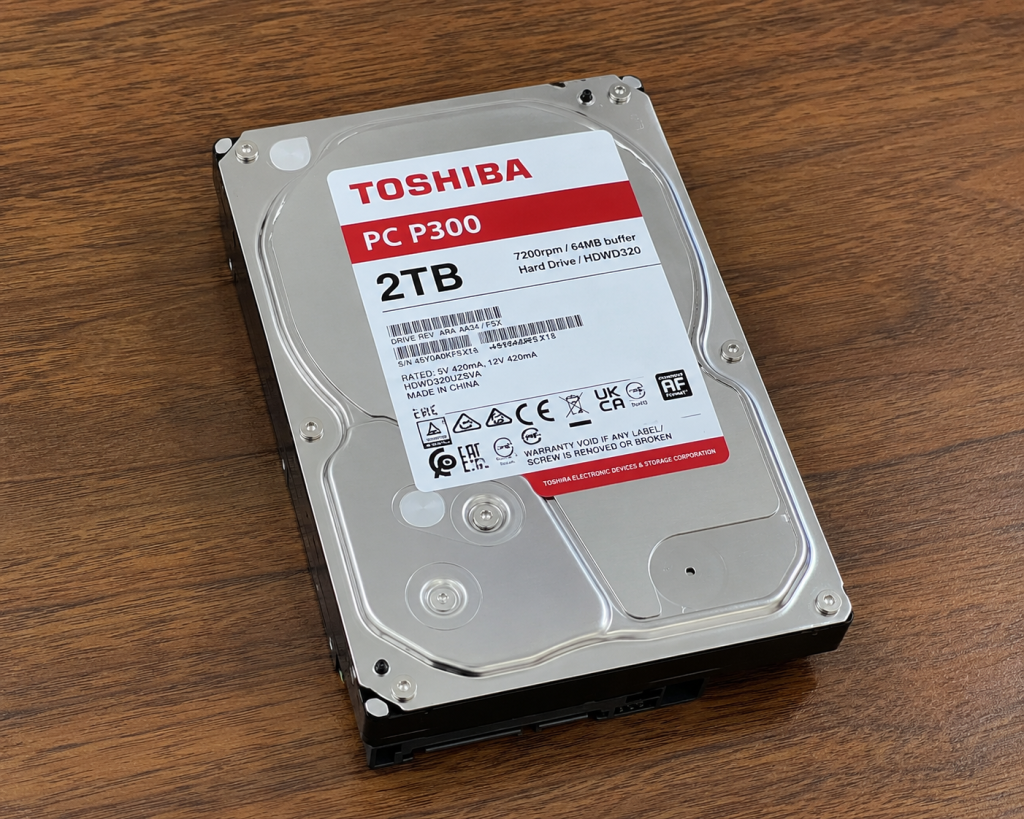
Toshiba P300 2TB Overview
The Toshiba P300 is a traditional 3.5-inch SATA hard drive aimed at everyday desktop computing rather than performance. The 2TB model spins at 7200 RPM and uses a SATA 6Gb/s interface. It’s worth noting Toshiba has sold two distinct 2TB P300 revisions: the original drive with a 64MB cache, and a 2022 “high-spin” refresh with a 256MB buffer that uses shingled magnetic recording (SMR) to push sequential transfers up to roughly 210 MiB/s. Either way, the P300’s pitch is the same: solid, dependable capacity at a low cost per gigabyte for general-purpose PCs.
Key Specifications Comparison
| Spec | Kingston KC3000 2TB | Toshiba P300 2TB |
|---|---|---|
| Type | NVMe PCIe 4.0 SSD | 3.5″ SATA HDD |
| Form Factor | M.2 2280 | 3.5-inch |
| Interface | PCIe 4.0 x4 NVMe | SATA III (6Gb/s) |
| Controller/Mechanism | Phison E18 | 7200 RPM spindle |
| NAND/Cache | 3D TLC NAND | 64MB or 256MB cache (buffer) |
| Sequential Read/Write | Up to 7,000 / 7,000 MB/s | Up to ~190–210 MB/s |
| Random 4K IOPS | Up to 1,000,000 / 1,000,000 | A few hundred IOPS |
| Endurance | 1.6 PBW (2TB model) | Rated in years of operation, not TBW |
| Warranty | 5 years | 2 years |
| Typical Price (2TB) | ~$150–200 | ~$45–60 |
Performance Comparison
Read and Write Speed
There’s no contest here. <cite index=”5-1″>The KC3000 is rated for sequential read speeds of up to 7,000 MB/s and 7,000 MB/s write, with random I/O reaching 1,000K IOPS for both reads and writes</cite> on the 2TB model. The P300, by contrast, is a mechanical drive limited by platter rotation and head movement — <cite index=”14-1″>even the newer high-spin 2TB model tops out around a 210 MiB/s sustained transfer rate</cite>. That’s roughly 30-35x slower than the KC3000 in sequential transfers, and the gap widens enormously in random 4K performance, where SSDs measure in the hundreds of thousands of IOPS and HDDs measure in the hundreds.
Storage Capacity and Technology
Both drives are available at 2TB, but they get there very differently. The KC3000 uses solid-state 3D TLC NAND flash with no moving parts, <cite index=”9-1″>and includes 1GB of DRAM cache for every 1TB of capacity</cite> to keep performance consistent. The P300 uses spinning magnetic platters; the 2022 refresh of the 2TB model specifically switched to <cite index=”13-1″>shingled magnetic recording (SMR) technology, where overlapped tracks enable higher data density</cite> — a tradeoff that boosts capacity and cost-efficiency but can hurt performance during heavy random writes.
Gaming Performance
For load times, level streaming, and asset pop-in, the KC3000’s near-instant random read speeds make a real, noticeable difference — especially in open-world titles. The P300 will run games fine once loaded, but expect longer load screens and more noticeable stutter in data-heavy titles compared to any NVMe drive.
Content Creation and Video Editing Performance
Kingston specifically markets the KC3000 for <cite index=”1-1″>3D rendering and 4K+ content creation, citing seamless workflow and rapid load times</cite>. Scrubbing 4K/8K timelines, working with large RAW files, or rendering exports all benefit directly from the KC3000’s sequential and random throughput. The P300 is a poor fit for active editing work — it’s better suited as bulk storage for finished footage or project archives rather than a scratch disk.
Reliability and Lifespan
<cite index=”4-1″>The KC3000 has an MTBF of 1,800,000 hours and an endurance rating of 1.6PBW for the 2TB capacity</cite>, backed by a five-year warranty. SSD endurance is measured in total bytes written, and 1.6PBW is far more than a typical user will write in the drive’s practical lifetime.
The P300 is rated more conventionally for a desktop HDD, with data-protection features baked in — <cite index=”10-1″>ramp loading technology to reduce wear on the recording head and media, plus built-in shock sensors that detect impact and shield adjacent track data</cite>. It carries a shorter two-year warranty, and as a mechanical drive it’s inherently more vulnerable to physical shock, vibration, and wear over time than an SSD with no moving parts.
Power Consumption
The KC3000 sips power at idle and under light use — <cite index=”7-1″>around 5mW idle and roughly 0.36W average, with peaks up to about 9.9W during max write on the 2TB model</cite>. HDDs like the P300 draw more continuously, since the platters are physically spinning at 7200 RPM whenever the drive is powered, plus additional draw during seek operations. For laptops or power-conscious builds, the SSD has a clear edge.
Noise and Heat Levels
The KC3000 is completely silent since it has no moving parts, though it can run warm under sustained heavy writes — which is why Kingston fits it with a graphene-aluminum heat spreader. The P300, being a mechanical drive, produces audible spindle hum and seek clicks, and generates more ambient heat from the motor, though nothing unusual for a 7200 RPM desktop HDD.
Installation and Compatibility
The KC3000 needs an M.2 slot with PCIe 4.0 (or 3.0, at reduced speed) support — standard on modern desktop motherboards but worth checking on laptops and budget boards. The P300 just needs a SATA port and power connector, which makes it compatible with virtually any desktop PC built in the last 15+ years, including older systems that can’t take an NVMe SSD at all.
Price and Value for Money
This is where the P300 pulls ahead. Hard drives cost far less per gigabyte than NVMe SSDs — the P300 2TB typically runs in the $45–60 range, versus roughly $150-200 for the KC3000 2TB. If your priority is cheap bulk storage, the P300 wins on value. If your priority is performance per dollar for an OS or working drive, the KC3000 is worth the premium.
Pros and Cons of Kingston KC3000
Pros:
- Extremely fast sequential and random performance (up to 7,000MB/s)
- Silent, no moving parts
- Strong endurance rating and 5-year warranty
- Compact M.2 form factor, ideal for laptops and SFF builds
- Excellent for gaming, content creation, and OS/boot duty
Cons:
- Significantly more expensive per gigabyte than an HDD
- Requires a PCIe 4.0 M.2 slot to hit full speed
- Not the best choice for cheap, high-volume archival storage
Pros and Cons of Toshiba P300 2TB
Pros:
- Low cost per gigabyte
- Broad compatibility (any SATA-equipped PC)
- Built-in shock protection and ramp loading
- Good for bulk storage, backups, and archiving
Cons:
- Far slower than any SSD, especially in random I/O
- Mechanical parts mean more noise, heat, and vibration
- SMR (on the high-spin 2TB revision) can hurt sustained random write performance
- Shorter 2-year warranty
- More vulnerable to physical shock/failure over time
Which Drive is Better for Gaming?
The Kingston KC3000. Faster load times, quicker level streaming, and better handling of large modern game installs make it the clear choice as a primary gaming drive. The P300 can still serve as secondary storage for your game library if you’re not chasing the fastest load times and want to save money on capacity.
Which Drive is Better for Everyday Use?
It depends on what “everyday use” means to you. For a responsive OS drive — faster boot times, snappier app launches, quicker file operations — the KC3000 is the better everyday experience. For everyday bulk storage — photos, documents, media libraries, backups — the P300’s low cost per gigabyte makes more sense.
Who Should Buy Kingston KC3000?
Gamers, video editors, 3D artists, and power users who want their storage to keep pace with modern CPUs and GPUs. It’s also a strong pick for anyone building or upgrading a system where the OS and applications live on the drive and speed directly affects daily productivity.
Who Should Buy Toshiba P300 2TB?
Anyone who needs affordable, high-capacity storage and isn’t chasing performance — think secondary/bulk storage, backup drives, NAS-adjacent home file storage (within reason), or budget desktop builds where a SATA HDD is the only realistic option for the money.
Frequently Asked Questions (FAQ)
Can I use both drives in the same PC? Yes, and it’s a common and sensible setup: KC3000 as your OS/apps/games drive, P300 as bulk storage for files you don’t need blazing speed to access.
Is the KC3000 overkill for general use? For pure web browsing and document editing, yes — a cheaper SATA SSD would feel nearly as fast day-to-day. The KC3000’s advantage shows up in large file transfers, gaming, and creative workloads.
Will the P300 bottleneck a modern gaming PC? It won’t bottleneck your CPU or GPU, but it will bottleneck load times compared to any SSD. Games will run at full speed once loaded into RAM.
Does the KC3000 need a heatsink? It ships with its own graphene-aluminum heat spreader, so an additional motherboard heatsink usually isn’t necessary, though very sustained heavy workloads may still benefit from extra cooling in poorly ventilated cases.
Is SMR on the Toshiba P300 a problem? Only for workloads with heavy, sustained random writes (like some NAS or database uses). For typical desktop storage and archiving, it’s not a practical concern.
Final Verdict
The Kingston KC3000 and Toshiba P300 2TB aren’t really rivals — they’re tools for different jobs. The KC3000 is the drive you want for speed: gaming, content creation, and anything where responsiveness matters. The P300 is the drive you want for cheap, reliable capacity: backups, archives, and bulk file storage. Most well-built PCs end up with both — an NVMe SSD for the OS and active work, and a spacious HDD like the P300 to hold everything else affordably.