WD Black SN850X vs WD Blue 1TB: Overview
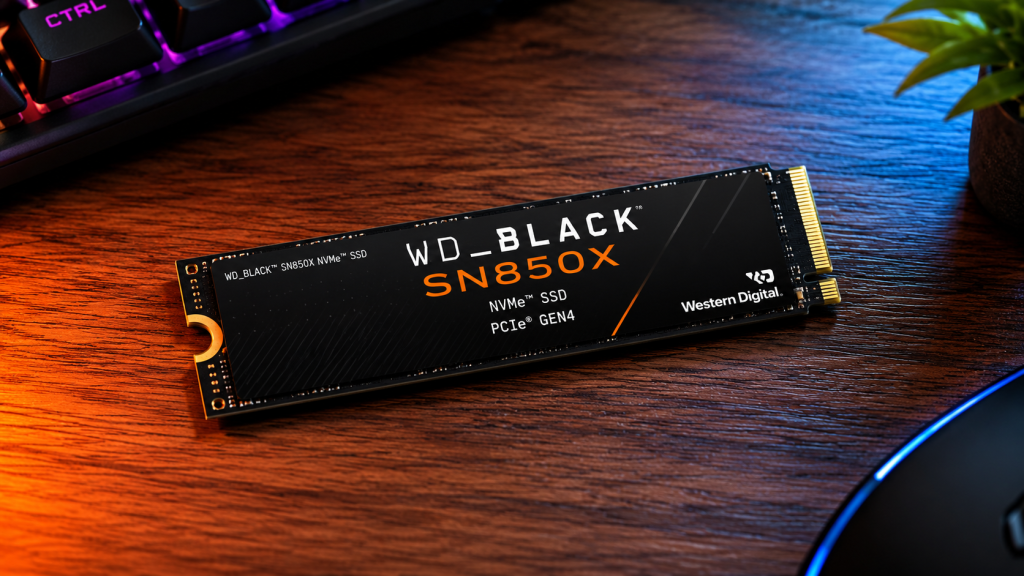
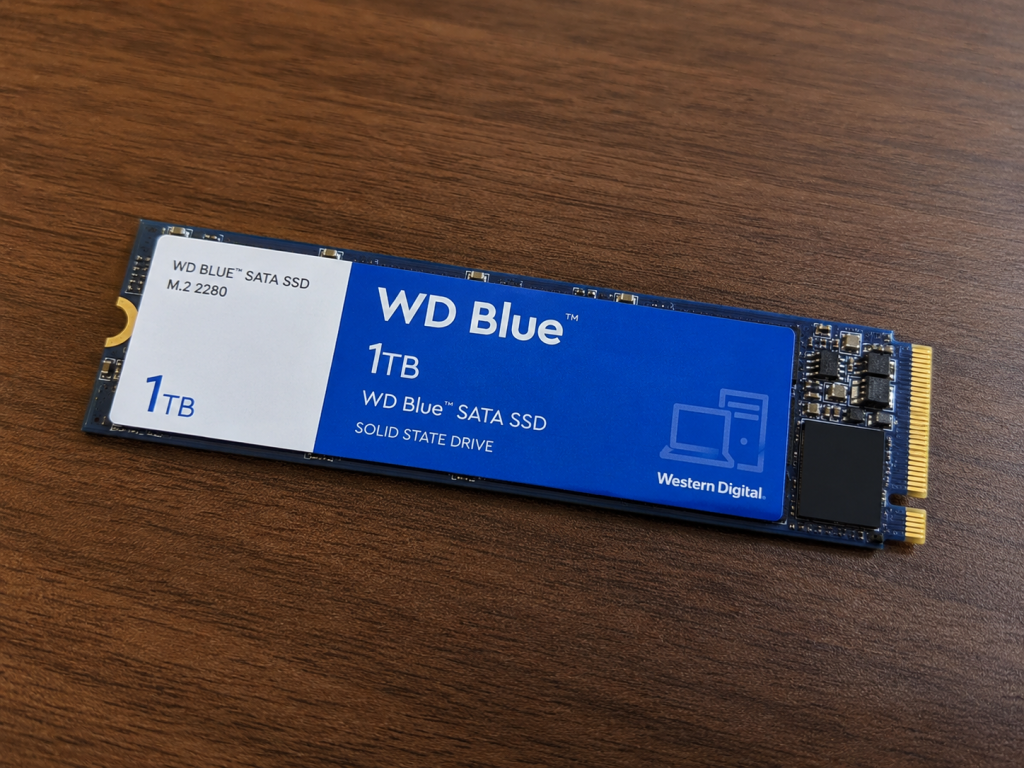
Western Digital’s SSD lineup splits neatly by purpose: Black for performance, Blue for value. The WD Black SN850X 1TB is WD’s flagship PCIe 4.0 NVMe drive, built for gamers and creators who want the highest sustained speeds the platform can deliver. The WD Blue SN580 1TB (the current NVMe drive sold under the “WD Blue” name) is the budget-friendly counterpart — a DRAM-less PCIe 4.0 drive aimed at everyday users, laptop upgrades, and system builders who don’t want to pay a premium for headroom they won’t use.
Both drives share a PCIe Gen4 x4 interface and an M.2 2280 form factor, so they’re physically and electrically compatible with the same motherboards. Where they diverge is architecture: the SN850X has a dedicated DRAM cache and a more powerful controller, while the SN580 skips DRAM entirely to hit a lower price point. That single difference cascades into almost every performance gap between them.
Key Differences at a Glance
| WD Black SN850X 1TB | WD Blue SN580 1TB | |
|---|---|---|
| Target user | Gamers, content creators, enthusiasts | Everyday users, budget builders, laptop upgrades |
| DRAM cache | Yes (2GB) | None (HMB-based) |
| Sequential read | Up to 7,300 MB/s | Up to 4,150 MB/s |
| Sequential write | Up to 6,300 MB/s | Up to 4,150 MB/s |
| Endurance (TBW) | 600 TBW | 600 TBW |
| Price positioning | Premium | Budget |
Specifications Comparison
WD Black SN850X 1TB
- Interface: PCIe Gen4 x4, NVMe
- Controller: SanDisk 20-82-20035 (in-house, 8-channel)
- NAND: 112-layer BiCS5 3D TLC
- DRAM: 2GB
- Sequential read/write: up to 7,300 / 6,300 MB/s
- Random read/write: up to 800,000 / 1,100,000 IOPS
- Endurance: 600 TBW
- Warranty: 5 years
- Form factor: M.2 2280, single-sided, available with or without RGB heatsink
WD Blue SN580 1TB
- Interface: PCIe Gen4 x4, NVMe 1.4
- Controller: SanDisk 4-channel controller (no DRAM)
- NAND: 112-layer BiCS5 3D TLC
- DRAM: None (uses Host Memory Buffer)
- Sequential read/write: up to 4,150 / 4,150 MB/s
- Random read/write: up to 600,000 / 750,000 IOPS
- Endurance: 600 TBW
- Warranty: 5 years
- Form factor: M.2 2280, single-sided
Performance Comparison
On paper, the SN850X nearly doubles the SN580’s sequential throughput and holds a clear lead in random IOPS across the board. The DRAM cache on the SN850X allows it to handle mapping tables in dedicated memory rather than borrowing system RAM through HMB, which keeps latency lower and performance more consistent under heavier, mixed workloads. The SN580 is far from slow for a budget drive, but it’s tuned for typical desktop tasks rather than sustained heavy I/O.
Gaming Performance
For gaming, the practical difference is smaller than the spec sheet suggests. Game load times and level streaming are bottlenecked more by the game engine and CPU than by raw SSD throughput once you’re on any modern NVMe drive. The SN850X’s extra headroom shows up in edge cases: very large open-world titles with aggressive texture streaming, DirectStorage-enabled games that lean on GPU decompression, and back-to-back level loads under Windows’ file caching limits. The SN580 handles the vast majority of games just as well in real-world load-time testing, with gaps typically measured in a second or two rather than anything dramatic.
If you’re building around a PS5, note that WD specifically certifies the SN850X’s heatsink SKU for that platform; the SN580 is not marketed as a PS5 upgrade option.
Everyday Use and Productivity
For boot times, app launches, web browsing, office work, and general multitasking, both drives feel essentially identical. This is the SN580’s home turf — it was designed for exactly this kind of workload, and the absence of DRAM rarely matters when you’re not saturating the drive with sustained transfers.
Speed and Benchmark Results
Independent testing consistently shows the SN850X topping out near its rated 7,300 MB/s read and 6,300 MB/s write figures in sequential benchmarks, with strong 4K random performance thanks to its DRAM cache. The SN580 lands closer to 4,000–4,150 MB/s in sequential tests, with random 4K reads landing in the 450,000–600,000 IOPS range depending on the test methodology — still respectable for a Gen4 drive, but clearly a step below the Black line.
Where the SN580 loses ground fastest is in large, sustained file transfers. Both drives use a dynamic SLC write cache (WD’s nCache), and once that cache is exhausted, sustained write speeds drop noticeably on both drives — but the SN850X’s larger cache and DRAM-backed controller let it degrade more gracefully than the SN580.
Storage Capacity and Reliability
Both the 1TB SN850X and 1TB SN580 carry the same 600 TBW endurance rating and a 5-year limited warranty, so on paper their expected lifespans for typical consumer use are comparable. In practice, endurance is rarely the limiting factor for either drive in a normal desktop or laptop — most users will replace the system before writing 600TB to it.
The SN850X is available up to 8TB, while the SN580 tops out at 2TB, so buyers with larger storage ambitions have more room to grow with the Black line.
Power Efficiency and Heat Management
The SN580’s simpler, DRAM-less controller draws less power and runs cooler under load, which makes it a strong pick for laptops and small-form-factor builds where thermals and battery life matter. The SN850X runs hotter under sustained load — its higher-performance controller can draw meaningfully more power — and benefits from the optional heatsink, especially in cases with limited airflow around the M.2 slot. In a well-cooled desktop, thermal throttling is rarely an issue for the SN850X; in cramped laptops, it’s worth checking that a heatsink option or motherboard M.2 shield is available.
Compatibility
Both drives use the same PCIe Gen4 x4 M.2 2280 interface and are backward-compatible with PCIe Gen3 slots (at reduced speed). Neither requires anything unusual from the motherboard beyond a standard M.2 slot. The SN850X’s optional heatsink version adds a small amount of height, which can be a clearance issue in slim laptops or under some graphics cards — the bare-PCB version avoids that concern.
Price and Value for Money
The SN580 is priced meaningfully below the SN850X, often by a wide enough margin that its cost-per-gigabyte is among the more competitive in the budget Gen4 segment. For users who won’t push a drive’s sequential throughput ceiling, the SN580 delivers most of the everyday experience of a flagship drive for noticeably less money. The SN850X commands a premium, but that premium buys real headroom for gaming, content creation, and heavy multitasking — buyers who will actually use that headroom get clear value from it; those who won’t are better off saving the difference.
Pros and Cons
WD Black SN850X 1TB
- Pros: Class-leading sequential speeds, strong random IOPS, DRAM cache for consistent performance, available up to 8TB, optional RGB heatsink, PS5-certified heatsink option
- Cons: Higher price, runs hotter under sustained load, heatsink version adds bulk
WD Blue SN580 1TB
- Pros: Excellent value, lower power draw, cooler running, single-sided design good for laptops, same endurance and warranty as the Black line
- Cons: No DRAM cache, noticeably lower sequential and random performance, smaller max capacity, less headroom for heavy workloads
Which SSD Is Best for Gaming?
The SN850X is the better gaming drive on paper and the safer choice for anyone building a high-end gaming rig, especially with DirectStorage titles and large open-world games. That said, the SN580 is genuinely capable for gaming too — most players won’t notice a meaningful difference in load times for the majority of titles. If budget is tight, the SN580 is not a compromise most gamers will feel; if budget allows and you want the best available performance, the SN850X is the clear pick.
Which SSD Is Better for Content Creators?
For content creators working with large video files, RAW photo libraries, or big project files that involve sustained read/write operations, the SN850X’s DRAM cache and higher sustained throughput make a real, noticeable difference — especially when copying or exporting large files repeatedly. The SN580 can serve as a capable secondary or working drive for lighter creative workloads, but creators moving large files regularly will benefit more from the SN850X’s consistency under sustained load.
Who Should Buy WD Black SN850X?
- Gamers building a high-end PC or PS5 who want the fastest load times available
- Content creators working with large video, photo, or audio files
- Users who run demanding multitasking workloads or frequently move large files
- Anyone who wants headroom for future, more demanding workloads
Who Should Buy WD Blue 1TB?
- Budget-conscious buyers upgrading an aging HDD or SATA SSD
- Laptop owners who want a cool-running, power-efficient single-sided drive
- Everyday users focused on web browsing, office work, and general computing
- System builders who need solid, reliable storage without paying for performance they won’t use
Frequently Asked Questions (FAQs)
Is the WD Black SN850X worth the extra cost over the WD Blue 1TB? It depends on your workload. If you regularly move large files, edit video, or want the best gaming performance available, yes. For general use, the performance gap is much less noticeable day to day.
Can I use either drive with a PS5? The SN850X (particularly the heatsink version) is WD’s PS5-certified option. The SN580 isn’t marketed for PS5 use and doesn’t come in a PS5-ready heatsink configuration.
Do both drives have the same warranty? Yes, both carry a 5-year limited warranty and a 600 TBW endurance rating at the 1TB capacity.
Will the WD Blue SN580 bottleneck a high-end gaming PC? Not meaningfully for most games. The bigger factors in gaming performance are typically the CPU, GPU, and RAM rather than SSD sequential speed once you’re on any NVMe Gen4 drive.
Which drive is better for a laptop? The SN580 is generally the better laptop pick due to lower power draw and cooler operation, unless you specifically need the SN850X’s sustained performance and your laptop has adequate cooling for an M.2 drive.
Final Verdict
The WD Black SN850X and WD Blue SN580 aren’t really competing for the same buyer — they’re solving different problems. The SN850X is the drive to buy when performance headroom matters: gaming rigs, PS5 upgrades, and content creation workstations that will actually push sustained read and write speeds. The SN580 is the drive to buy when value and efficiency matter more than peak throughput: everyday desktops, laptops, and budget builds where a fast, reliable Gen4 SSD is all that’s needed. Match the drive to how you’ll actually use it, and either one is a solid choice within its lane.
Note: Specifications are based on manufacturer data sheets and independent reviews as of mid-2026. Always check current WD/Sandisk product pages for the latest specs and pricing, as these can change.